-
Story
-
Resolution: Unresolved
-
 Undefined
-
None
-
None
-
False
-
-
False
-
Not Selected
-
-
-
Moderate
Problem Statement
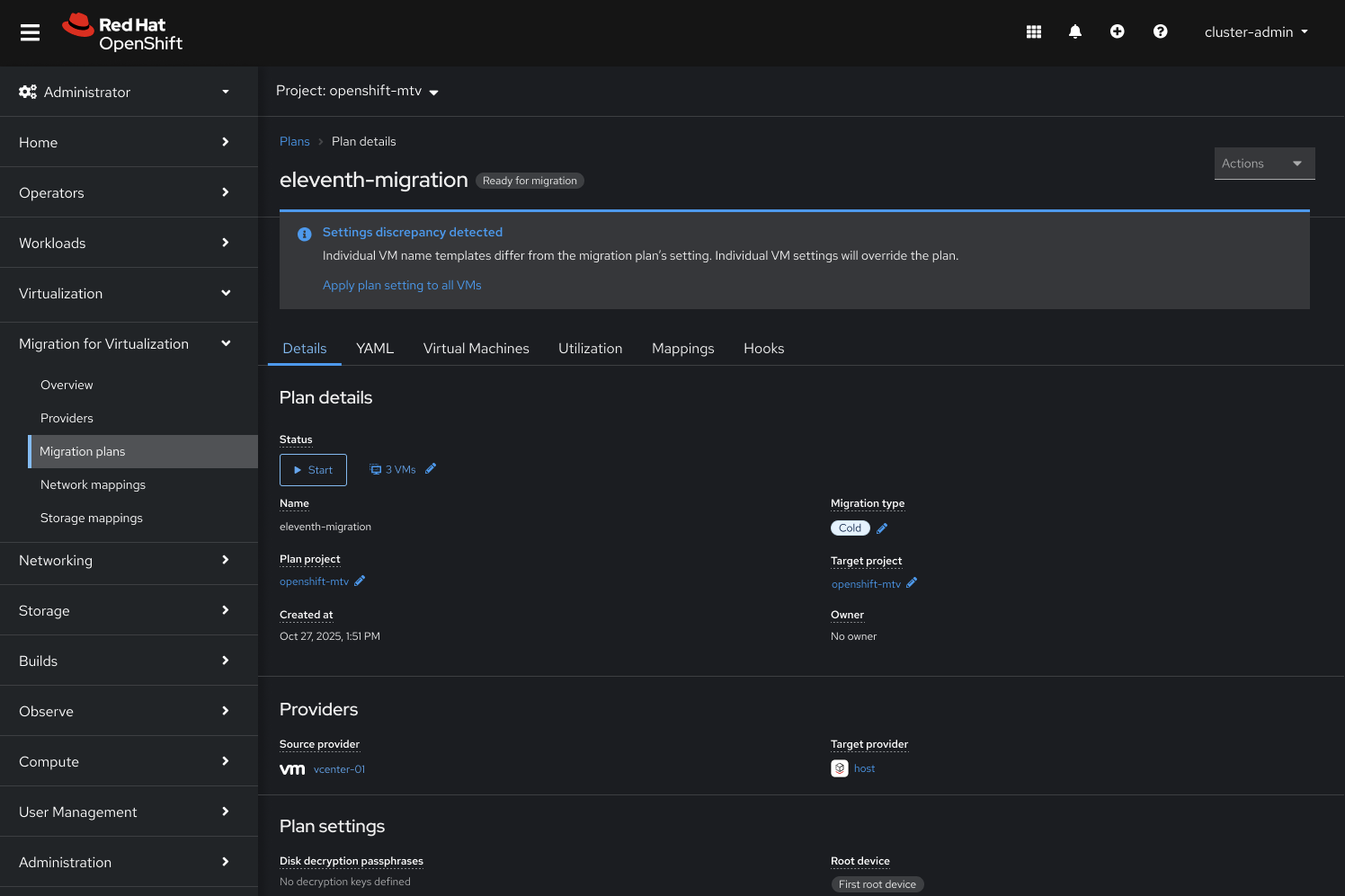
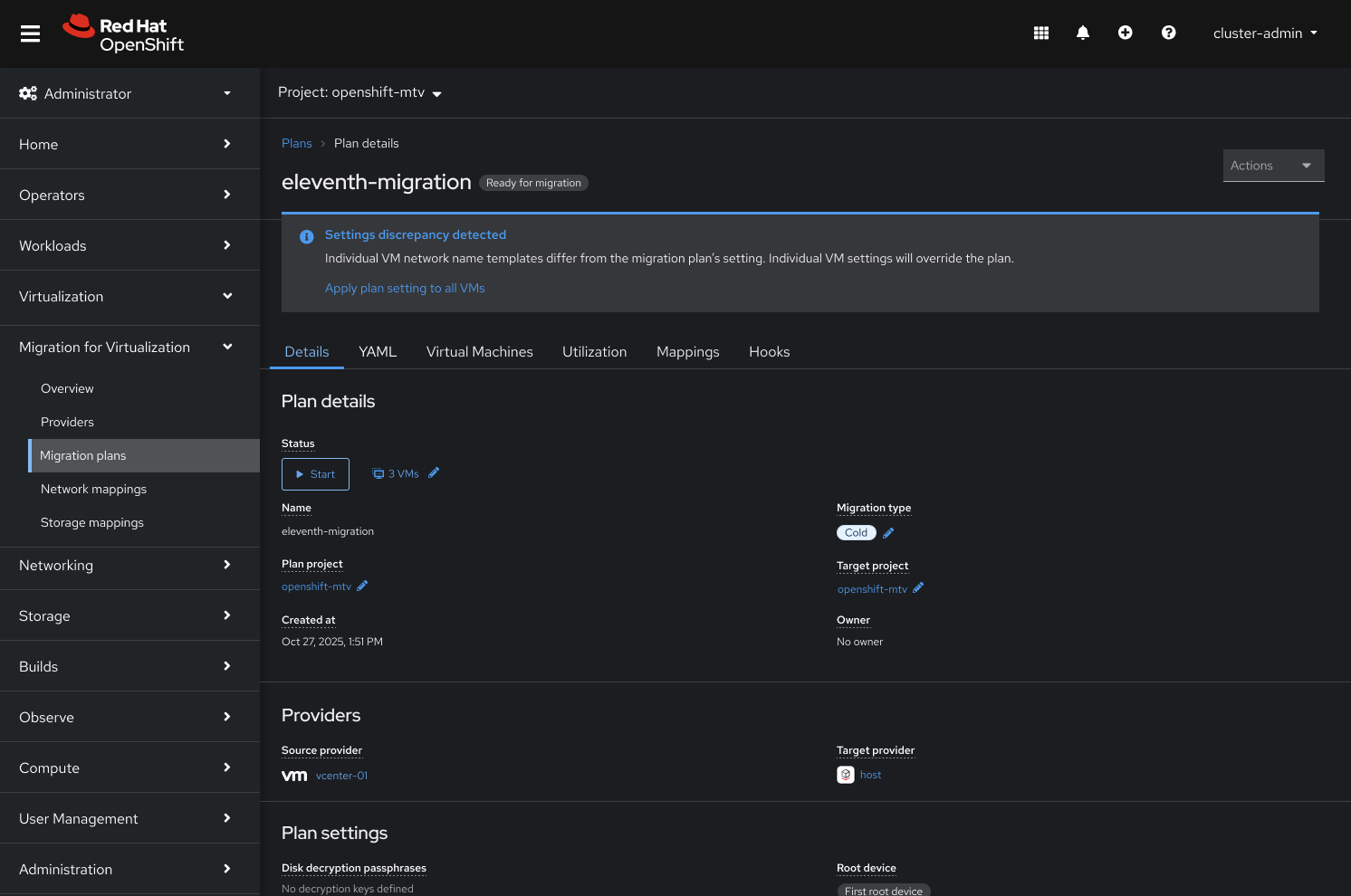
MTV allows name templates (PVC, Volume, Network) to be set at both the Migration Plan level (default) and the individual VM level (custom override). When a VM-level override exists, there is no easy way for a VI Admin to discover the discrepancy, understand the difference, or audit the effective template configuration across many VMs. This lack of transparency leads to confusion, manual checking, and increased risk of post-migration issues.
Specific Objectives:
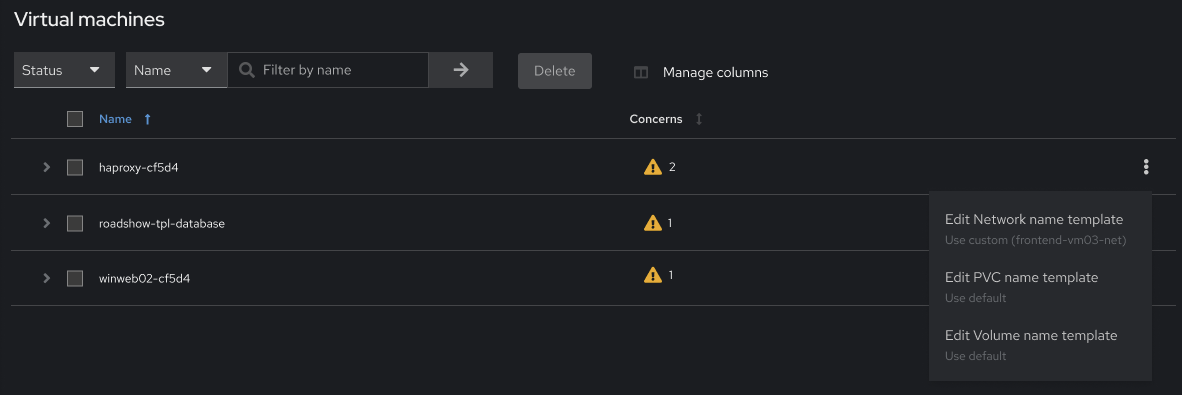
1. Introduce clear visual indicators in the UI (e.g., VM list) that immediately flag any VM where a custom name template overrides the Plan's default.
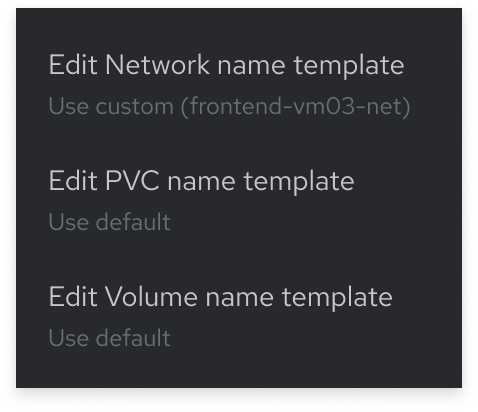
2. Provide an easy-to-access detail view that clearly displays the Plan-level Default Template versus the VM-level Custom Template for comparison (PVC, Volume, Network).
Design
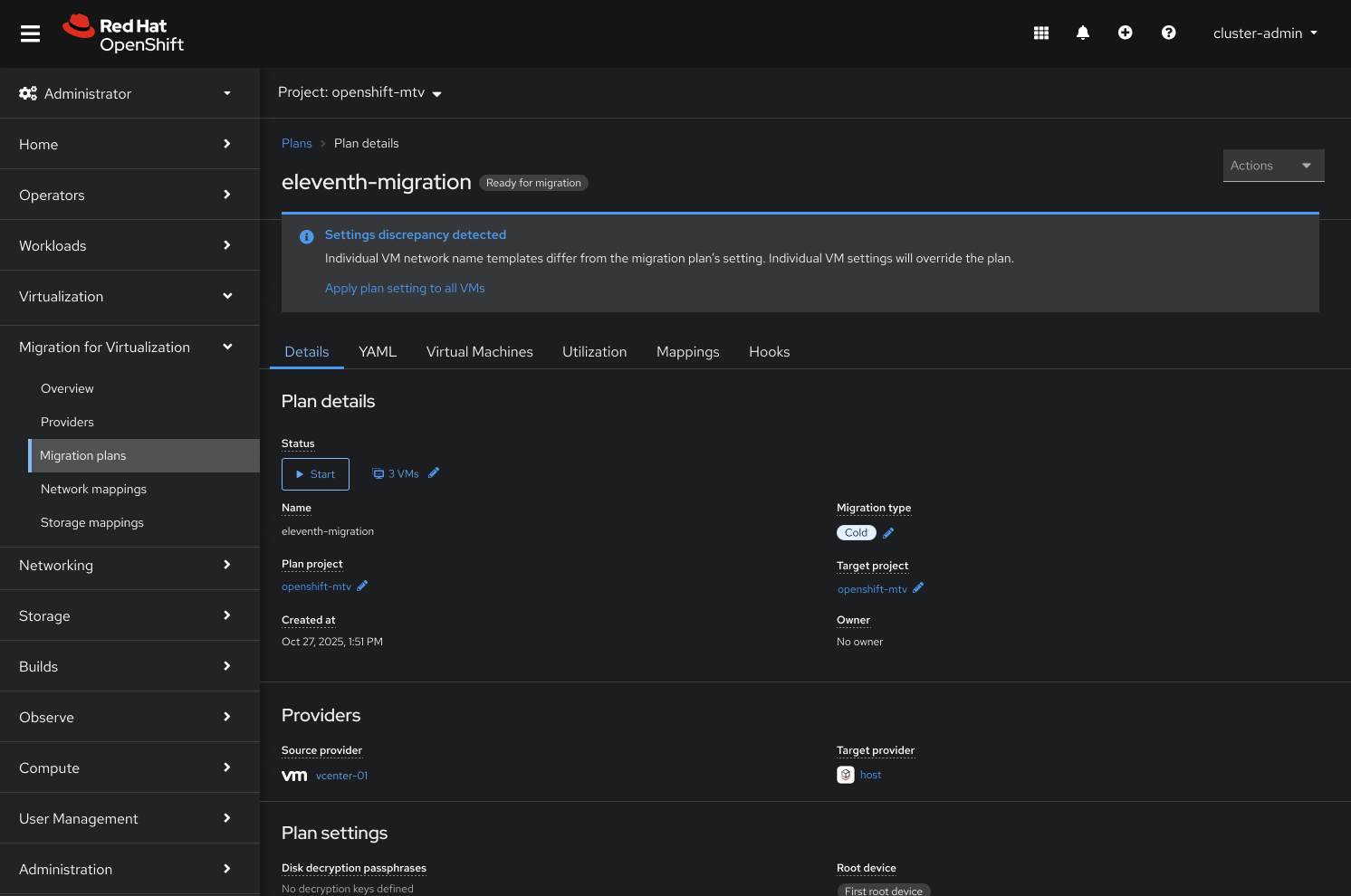
Use cases:
- For individual name template
- Individual VM network name templates differ from the migration plan's setting. Individual VM settings will override the plan.
- Individual VM PVC name templates differ from the migration plan's setting. Individual VM settings will override the plan.
- Individual VM network volume templates differ from the migration plan's setting. Individual VM settings will override the plan.
- For multiple namte templates
- Individual VM settings—including network name templates and PVC name templates—differ from the migration plan's settings. The individual VM settings will override the plan.
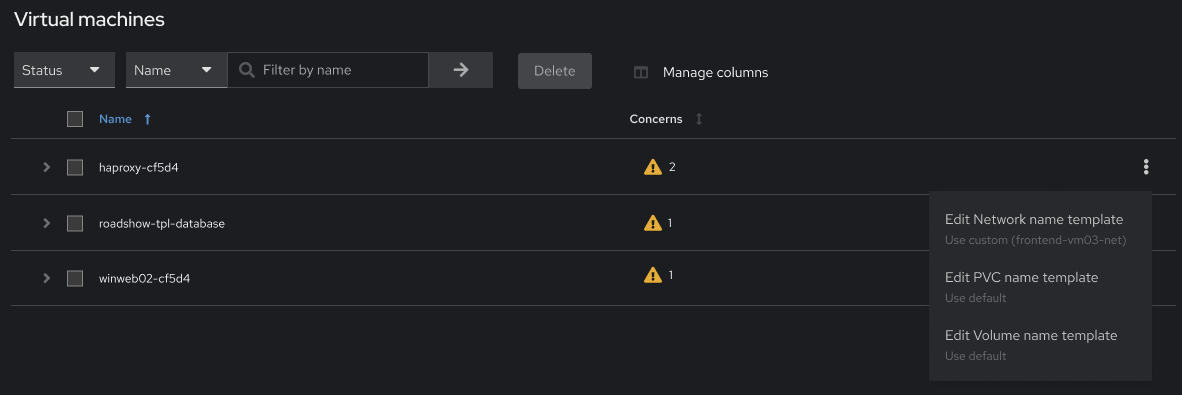
Within the Virtual Machine tab, users should be able to see the current settings from the kebab menu without needing to open individual VMs.