-
Bug
-
Resolution: Done
-
 Major
Major
-
2.10.0
-
Quality / Stability / Reliability
-
False
-
-
True
-
-
-
Important
Description of problem:
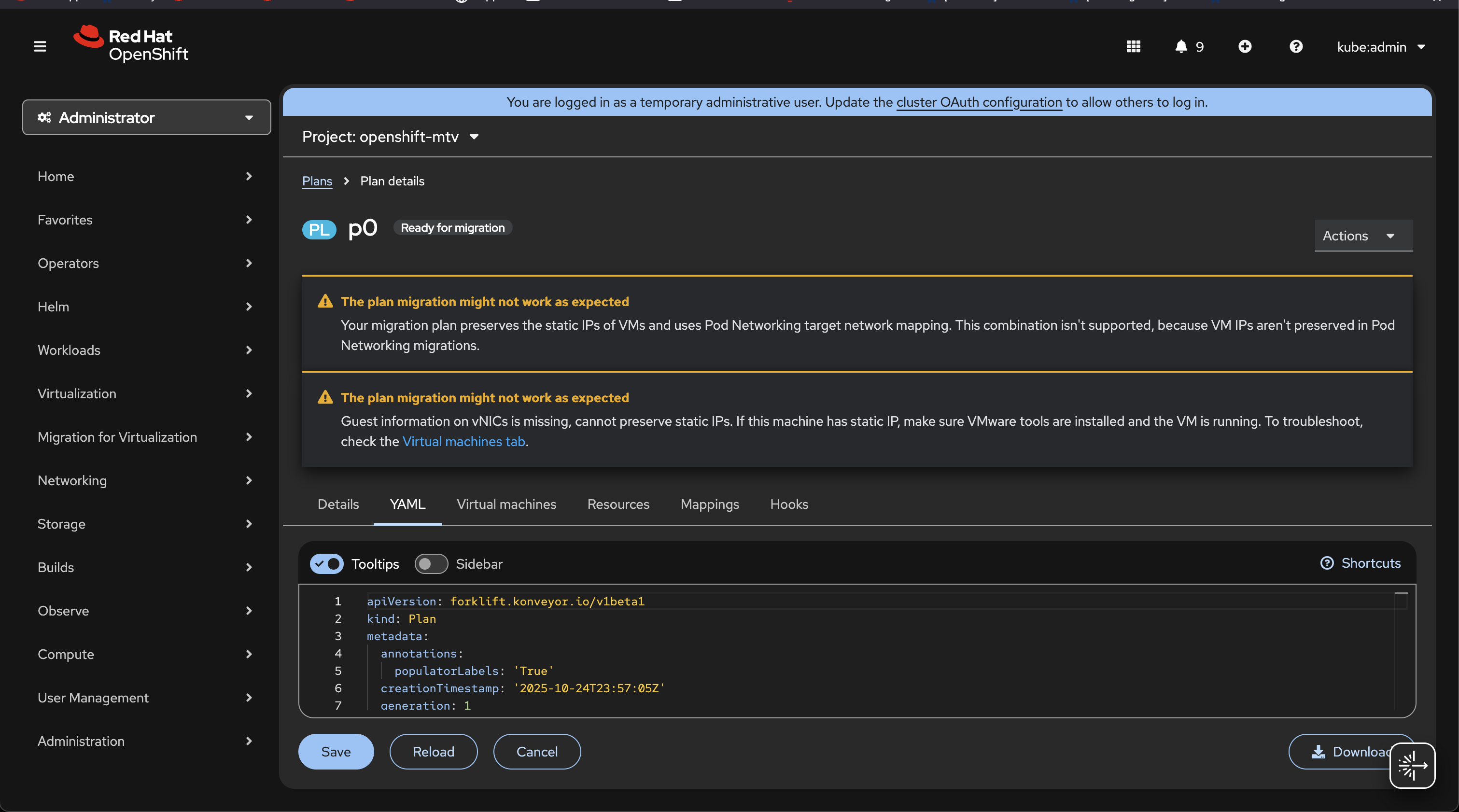
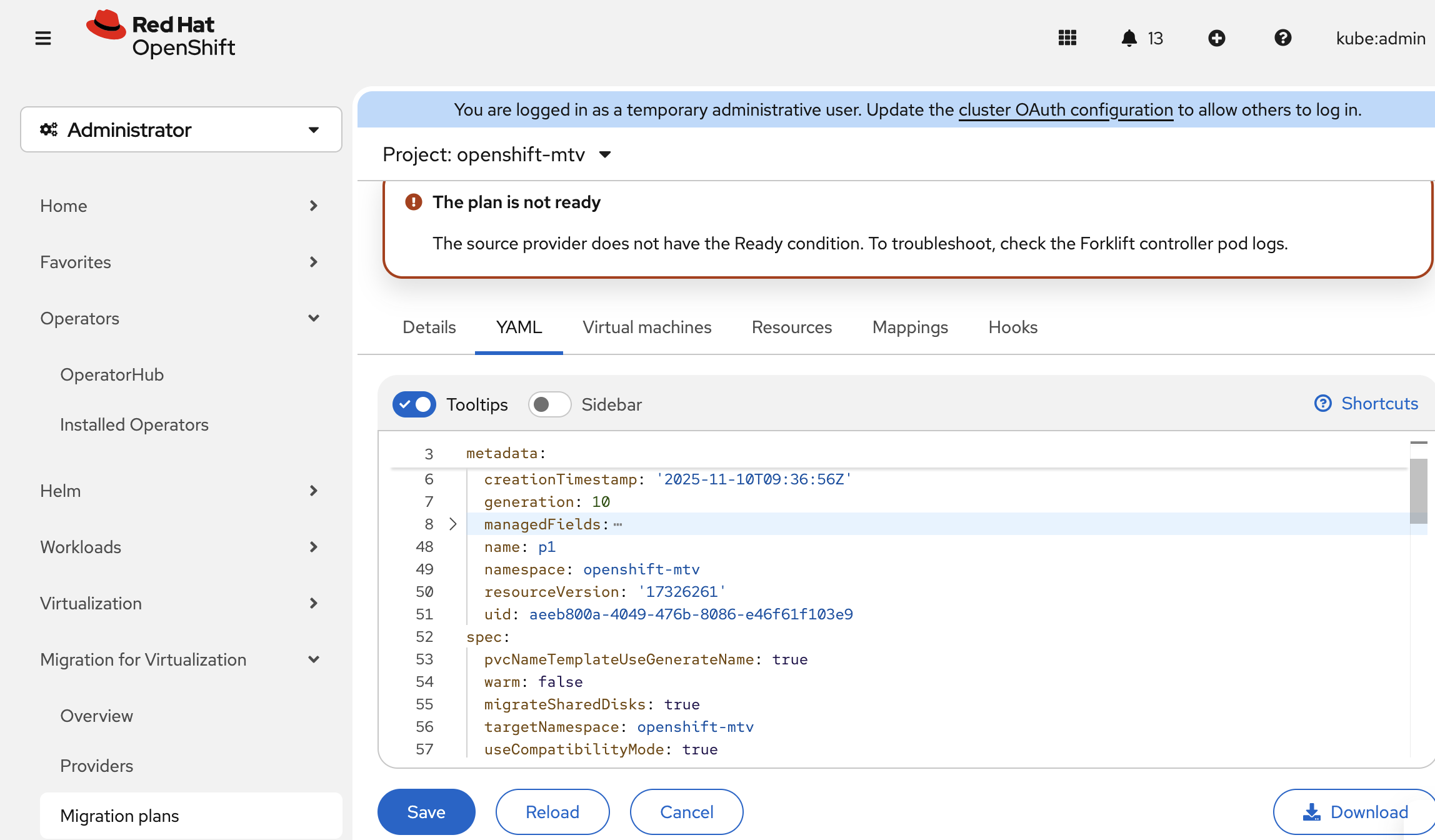
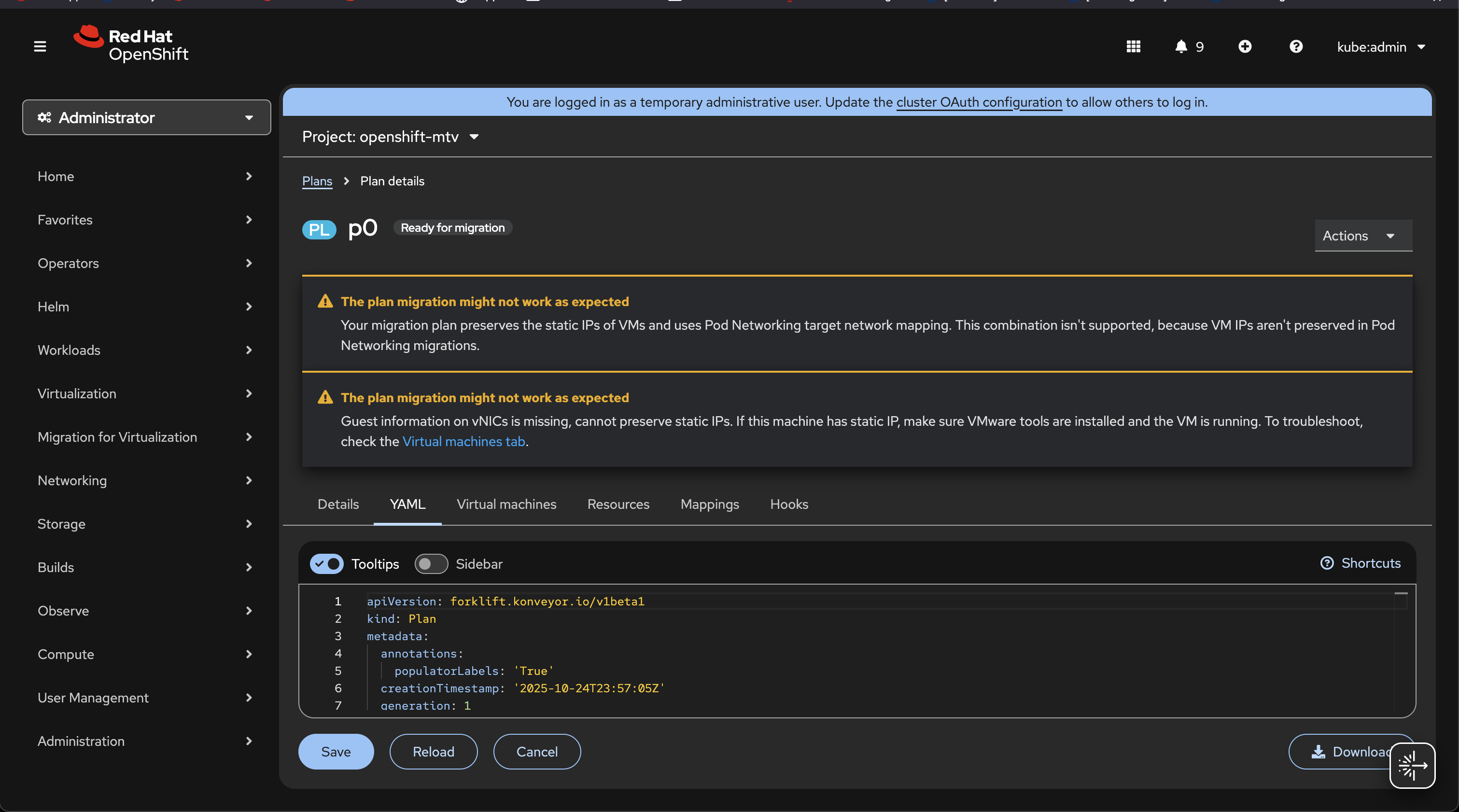
YAML Editor Becomes too small when multiple warnings are present on plan details page, page is not scrollable. (See screenshot). This prevents user from properly editing YAML file, since they can only see very few lines at once.
Version-Release number of selected component (if applicable):
2.10.0
How reproducible:
Always. I wasn't able to reproduce the issue when using "Responsive Design Mode" on Firefox console. The issue happens when using a smaller screen or manually reducing browser window size.
Steps to Reproduce:
1. Go to YAML tab on a plan with more than one warning
Actual results:
Yaml editor only displays a few lines, page not scrollable.
Expected results:
YAML editor should have a minimum size (at least 20-25 lines). Page should be scrollable,  as needed, similarly to details tab.

Ideally, the user should be able to resize the editor manually if needed, while keeping a minimum size.
Additional info: