-
Bug
-
Resolution: Obsolete
-
 Major
Major
-
Kogito Tooling 0.8.0
-
False
-
False
-
Undefined
-
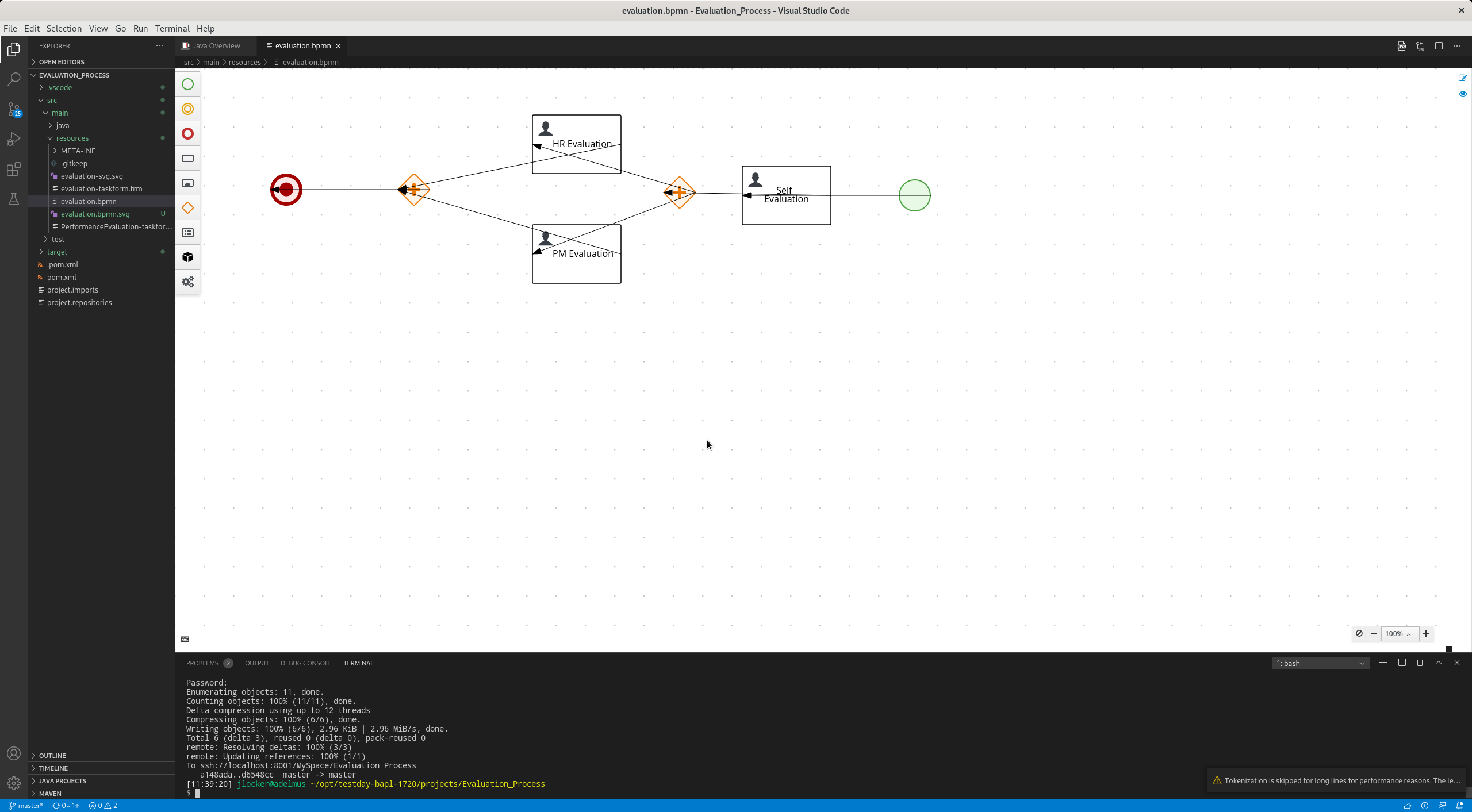
- Create any process containing sequence flows or open attached process evaluation.bpmn
 .
. - Change sequence flow's magnets on any node (within the same node).
- Do not make any other changes (do not move with node, don't change any properties, etc.)
- Save the changes.
- Close the process and then open it back.
Actual result
The changes are not saved.
Expected result
The changes are saved.
Create any process containing sequence flows or open attached process evaluation.bpmn . Change sequence flow's magnets on any node (within the same node). Do not make any other changes (do not move with node, don't change any properties, etc.) Save the changes. Close the process and then open it back. Actual result The changes are not saved. Expected result The changes are saved. - Create any process containing sequence flows or open attached process evaluation.bpmn
-
---
-
---
-
Sequence flow magnets changes are not saved in the process.
To reproduce issue from the notes below use evaluation.bpmn process.
- The process has been downloaded from Evaluation_Process sample project in Business Central
Original notes:
- I moved the nodes. New node positions were persisted but the flow connections were reset. I manually reversed the direction of the graph and reconnected the flow nodes but after reopening the flow nodes are connected as before my changes. I have autosave enabled.
The issue has been reported by jlocker.