-
Task
-
Resolution: Unresolved
-
 Undefined
-
None
-
None
-
None
-
8
-
False
-
-
False
-
Konflux
-
-
The CI/CD tab should:
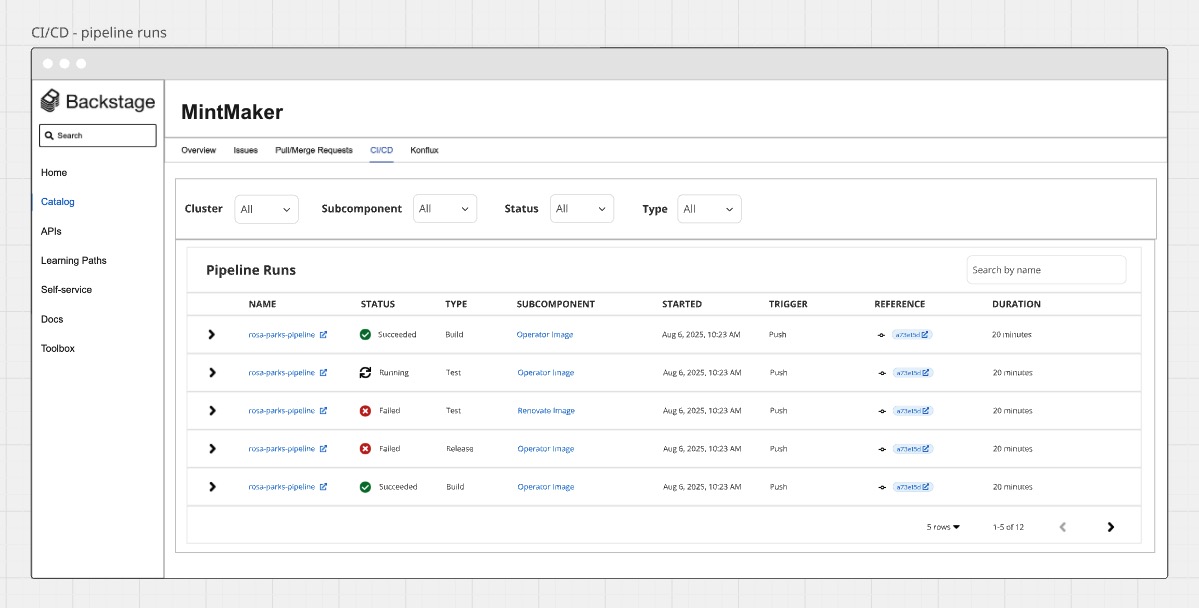
- Shows Konflux Pipeline Runs in a table
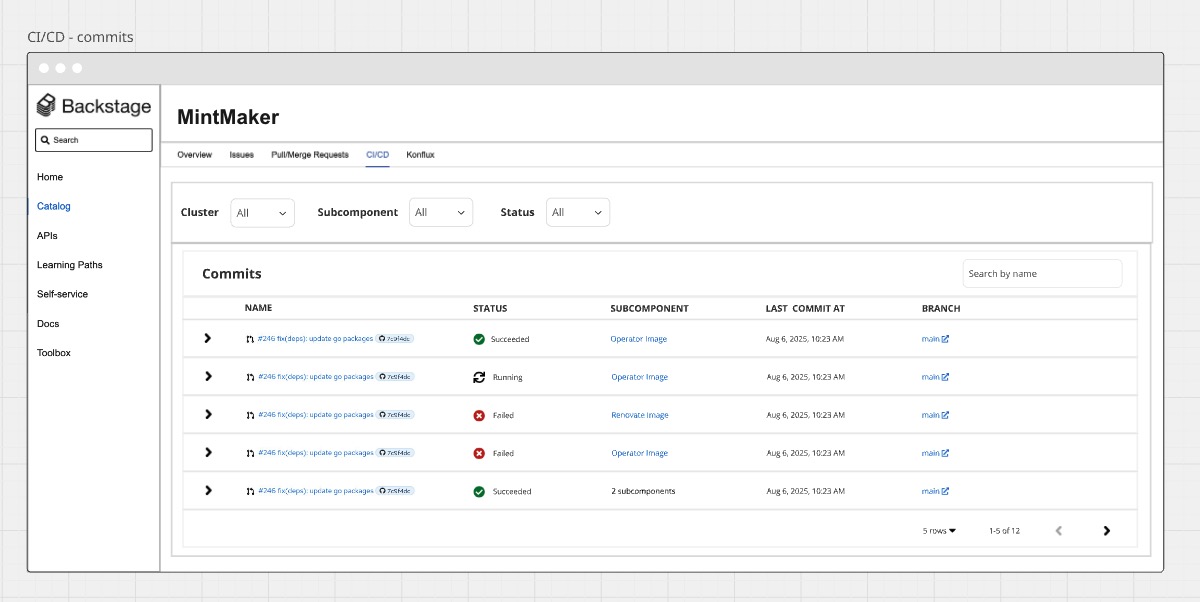
- Shows Konflux Commits in a table
Pipeline Runs Table:
- Filters: subcomponent, cluster, status, type
- Search: PLR name
- PLR Name -> links to the PLR overview page in the Konflux UI
- Status -> displays PLR status (e.g. Failed, Succeeded)
- Type -> displays PLR type (e.g. test, build)
- Subcomponent -> links to the Backstage Component page
- Started -> displays the PLR's start time date
- Trigger -> displays the "trigger event type" (e.g. Pull Request, Push)
- Reference -> links to the commit page (e.g. in GitHub or GitLab)
- Duration -> displays the PLR duration based on its star time and completion time
Commits Table:
- Filters: subcomponent, cluster, status
- Search: commit sha
- Commit Name -> links to the commit overview page in the Konflux UI + link to GitHub/GitLab page
- Status -> displays commit status based on latest PLR status (e.g. Failed, Succeeded)
- Application -> links to the application overview page in the Konflux UI
- Subcomponent -> links to the Backstage Component page
- Last commit at -> displays the commit's start time date
- Branch -> links to the commit's branch (e.g. in GitHub or GitLab)
UI mock-up for reference: https://miro.com/app/board/uXjVJdeM4c4=/