Uploaded image for project: 'jBPM'
  1. jBPM
  2. JBPM-8383

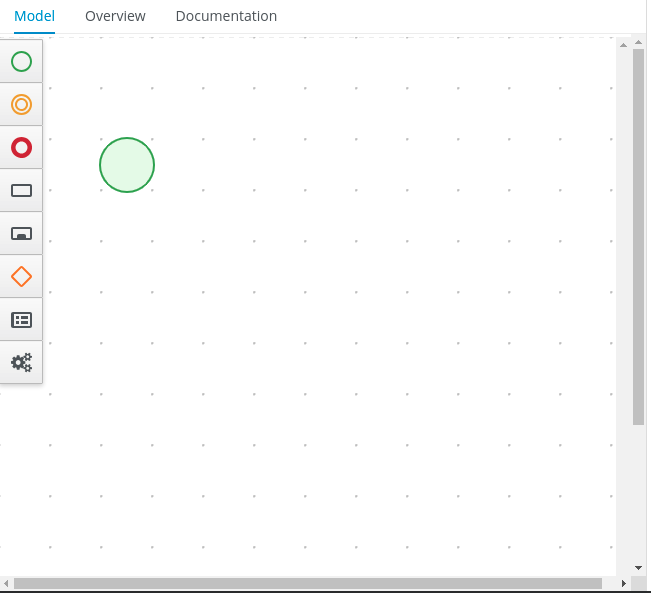
Stunner - Two scrollbars appear after zoom
XMLWordPrintable

    • Icon: Bug Bug
    • Resolution: Cannot Reproduce
    • Icon: Major Major
    • None
    • 7.20.0.Final
    • Designer
    • NEW
    • NEW
    • Hide
      1. Open any process
      2. Open forms, press Ctrl and use Mouse Wheel
      3. Press Ctrl+0 to reset zoom level of the business central

      Actual Result

      Process will have two vertical scrollbars

      Expected Result

      Process will have one vertical scrollbar (if needed) and one horizontal scroll bar (if needed)

      Show
      Open any process Open forms, press Ctrl and use Mouse Wheel Press Ctrl+0 to reset zoom level of the business central Actual Result Process will have two vertical scrollbars Expected Result Process will have one vertical scrollbar (if needed) and one horizontal scroll bar (if needed)

      When I zoom entire Business Central and zoom it back I can see two scrollbars.

              romartin@redhat.com Roger Martinez
              kgaevski@redhat.com Kirill Gaevskii
              Votes:
              0 Vote for this issue
              Watchers:
              3 Start watching this issue

                Created:
                Updated:
                Resolved: