Uploaded image for project: 'Tools (JBoss Tools)'
  1. Tools (JBoss Tools)
  2. JBIDE-8409

BPEL Process editor is not associated with *.bpel files

XMLWordPrintable

    • Icon: Bug Bug
    • Resolution: Duplicate
    • Icon: Major Major
    • LATER
    • 3.2.0.CR1
    • bpel
    • None
    • Hide

      1. EXEC: Create BPEL Project
      2. EXEC: Create BPEL Process File
      3. ASSERT: New file is opened by BPEL PRocess Editor
      4. EXEC: Close opened editor
      5. EXEC: Locate created file in resources tree and open it by mouse double click on it
      6. ASSERT: BPEL Process Editor is opened

      Show
      1. EXEC: Create BPEL Project 2. EXEC: Create BPEL Process File 3. ASSERT: New file is opened by BPEL PRocess Editor 4. EXEC: Close opened editor 5. EXEC: Locate created file in resources tree and open it by mouse double click on it 6. ASSERT: BPEL Process Editor is opened
    • Hide

      From context menu in any workspace resources navigator select Open->Other... and find "Business Process Editor"

      Show
      From context menu in any workspace resources navigator select Open->Other... and find "Business Process Editor"
    • High

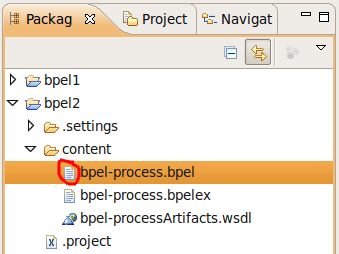
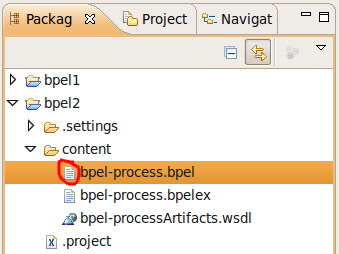
      .bpel files in resources tree look like text files. There is no bpel icon associated with file.
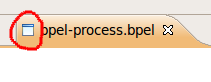
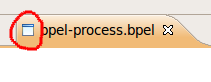
      Editor opened using workaround has no icon as well.
        1. screenshot112.png
          19 kB
          Denis Golovin
        2. screenshot113.png
          4 kB
          Denis Golovin

              bbrodt_jira Robert (Bob) Brodt (Inactive)
              nivologd@gmail.com Denis Golovin (Inactive)
              Votes:
              0 Vote for this issue
              Watchers:
              2 Start watching this issue

                Created:
                Updated:
                Resolved: