-
Bug
-
Resolution: Unresolved
-
 Major
Major
-
4.19.0.Final
-
None
-
Steps:
- ASSERT: make sure you're using MacOS (Big Sur 11.4)
- EXEC: launch classic OpenShift connection wizard
- ASSERT: connection wizard pops up
- EXEC: look at the link on top of the wizard
Result:
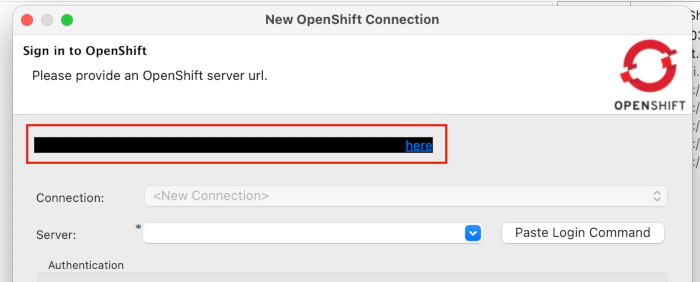
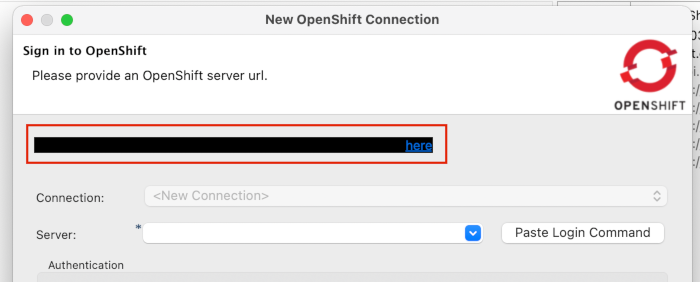
The text in the link on top of the wizard is not readable bcs it is displayed with black background so the black text is not readable.
Same issue present in OpenShift Application connection wizard (odo tooling):
Steps:
- EXEC: pick "Login" in ctx menu for your cluster (or hit the link to define a cluster)
- ASSERT: connection wizard shows up
- EXEC: put cursor into a text field (ex. "Username" or "URL")
Result:
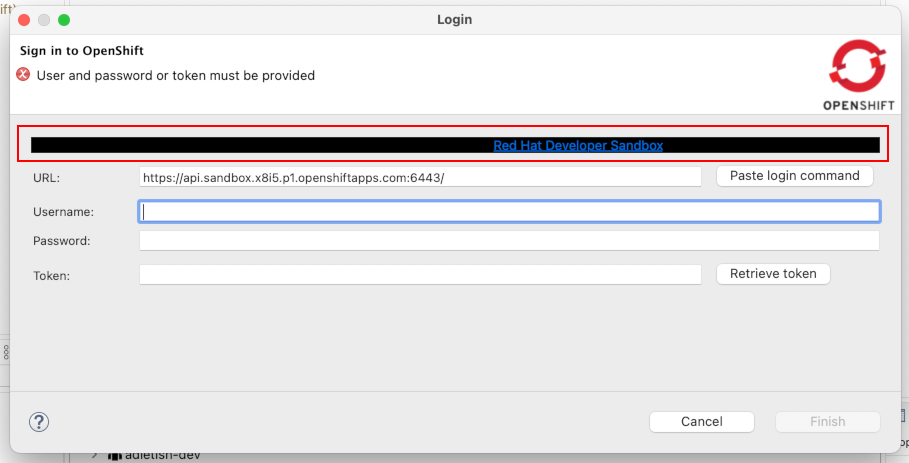
The link on top of the form gets a black background
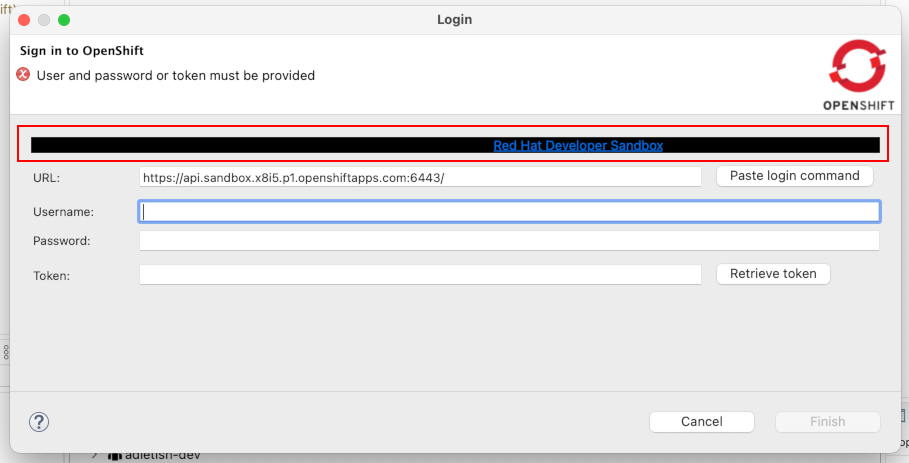 Steps: ASSERT: make sure you're using MacOS (Big Sur 11.4) EXEC: launch classic OpenShift connection wizard ASSERT: connection wizard pops up EXEC: look at the link on top of the wizard Result: The text in the link on top of the wizard is not readable bcs it is displayed with black background so the black text is not readable. Same issue present in OpenShift Application connection wizard (odo tooling): Steps: EXEC: pick "Login" in ctx menu for your cluster (or hit the link to define a cluster) ASSERT: connection wizard shows up EXEC: put cursor into a text field (ex. "Username" or "URL") Result: The link on top of the form gets a black background
 -
Low
-
Undefined