-
Bug
-
Resolution: Done
-
 Major
Major
-
8.1 Update 3
-
None
-
False
-
-
False
-
-
-
-
-
-
-
Hello Team,
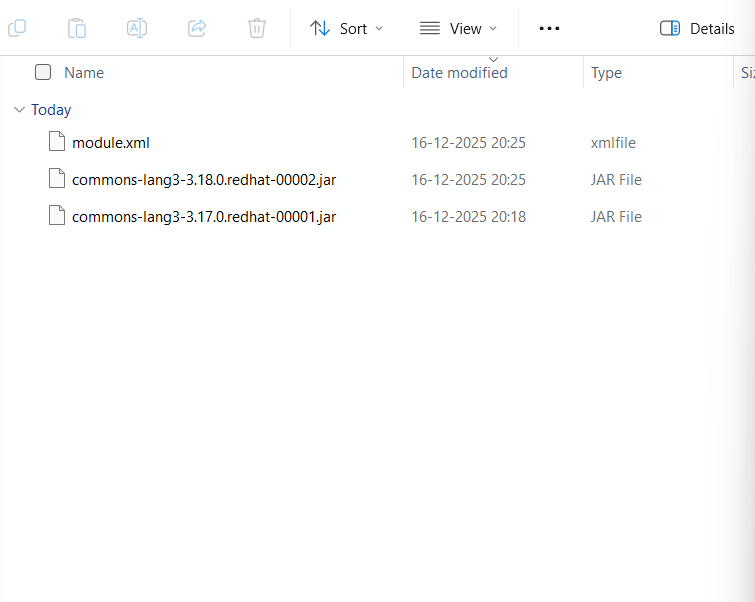
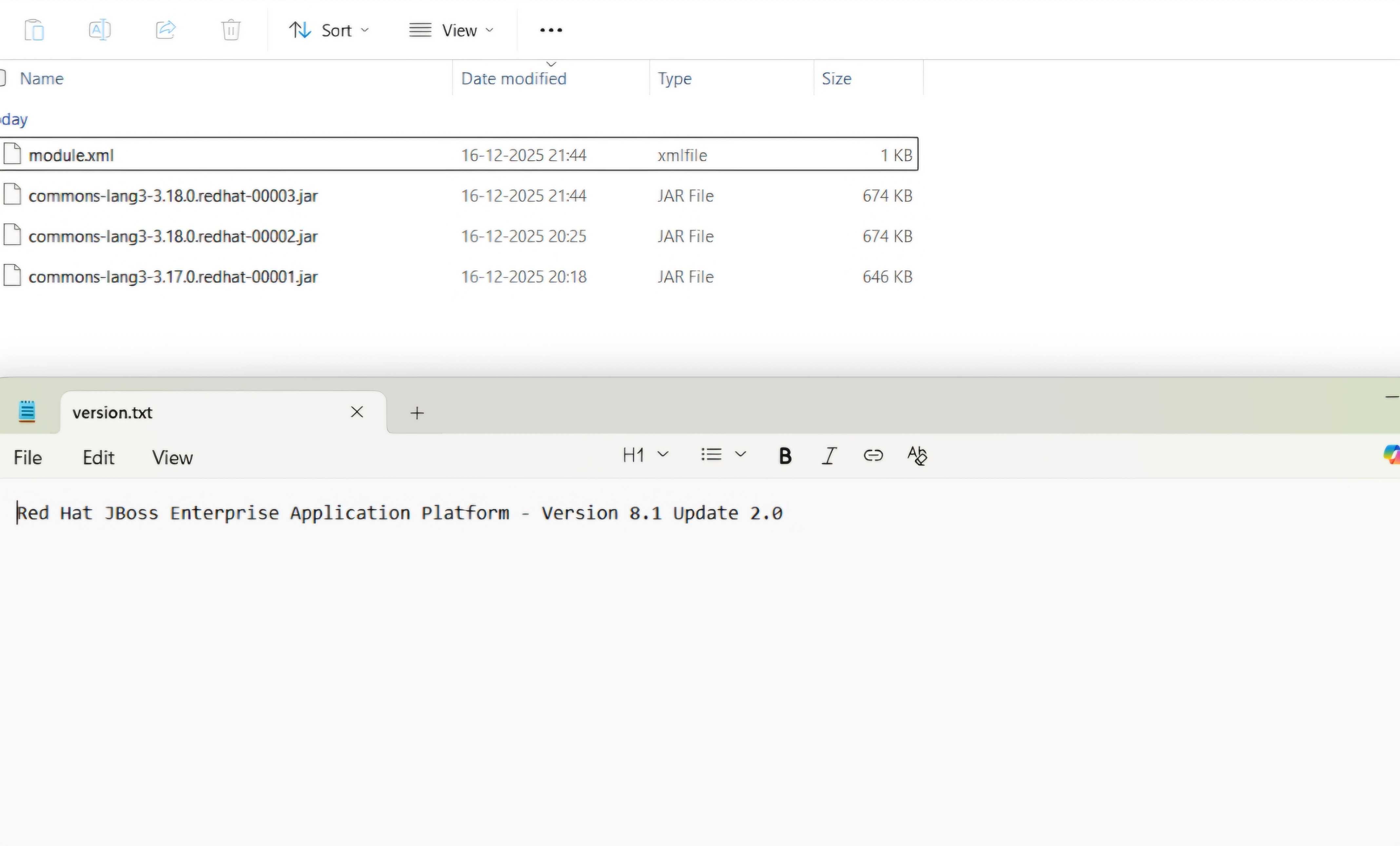
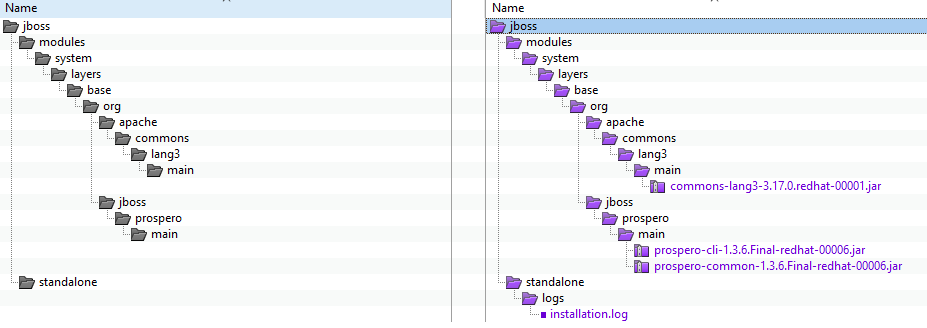
The JBoss EAP Installation Manager, located under $JBOSS_HOME/bin, is not updating certain JAR files in the modules/ directory. Instead of replacing the existing JAR files with the updated versions, the new JAR files are being added alongside the older ones.
This issue is windows specific. The customer is using Windows 11 and OpenJDK 17.0.17 along with EAP 8. The customer tried update EAP 8.1 to EAP 8.1 Update 1.0 and saw this issue.
I also tried the same in Windows 11 with OpenJDK 17.0.17 and tried updating EAP 8.1 to EAP 8.1 Update 1.0 and Update 2.0 both and saw the same issue. I am attaching the screenshots for your reference.
EAP8.1.png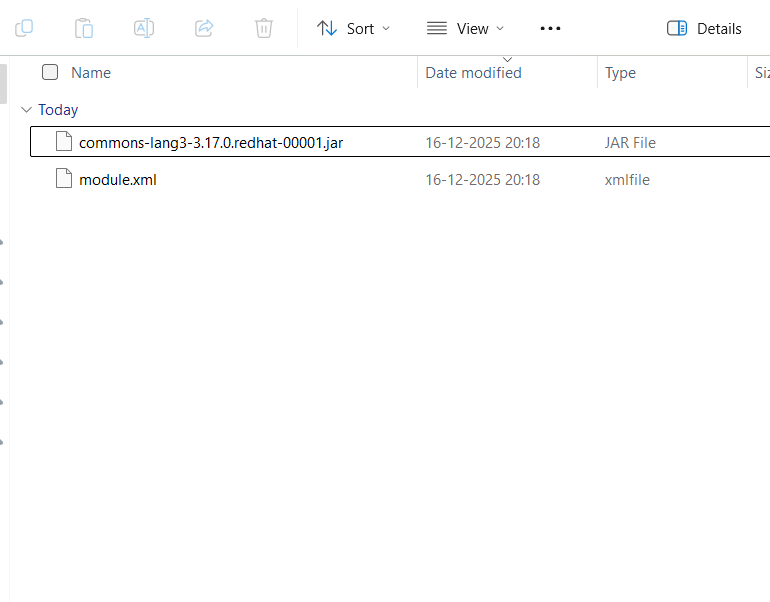 , EAP8.1-Update1.0.png
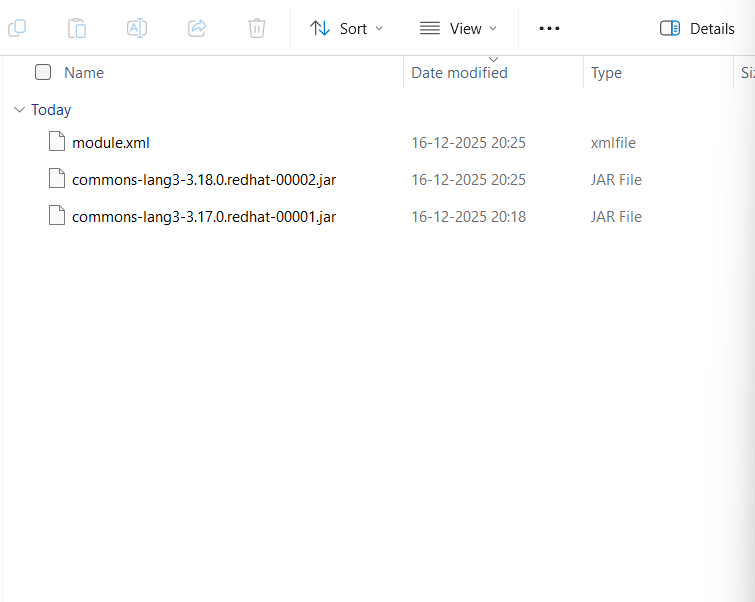 , EAP8.1-Update2.0.jpg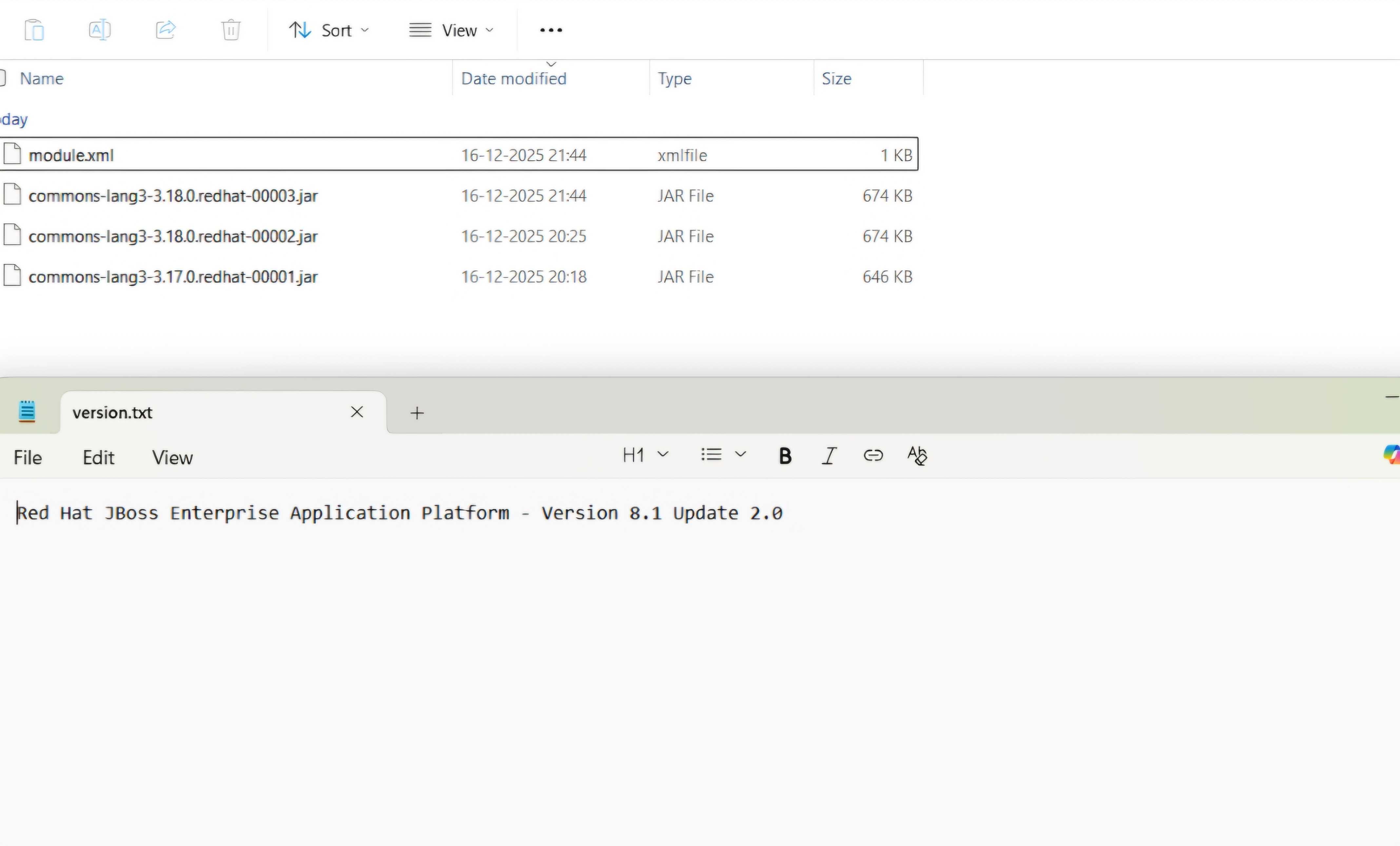
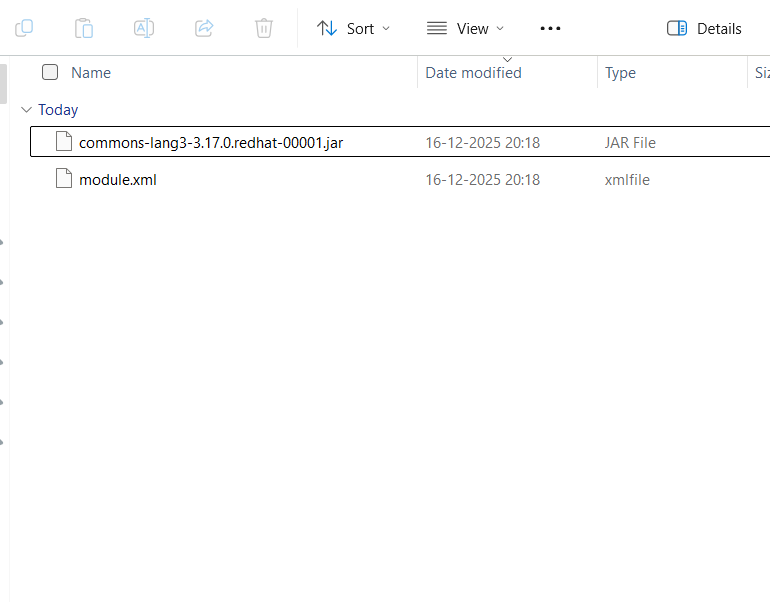
The screenshots are from the below path in EAP 8.1
/home/sakshah/Downloads/EAP-VERSIONS/8.1/jboss-eap-8.1.0/jboss-eap-8.1/modules/system/layers/base/org/apache/commons/lang3/main
- is incorporated by
-
JBEAP-31800 (8.1.z) Upgrade jboss-eap-installation-manager (prospero) to 1.3.11.Final
-

- Pull Request Sent
-
- links to
-
 RHSA-2026:157842
Red Hat JBoss Enterprise Application Platform 8.1.5 security update
RHSA-2026:157842
Red Hat JBoss Enterprise Application Platform 8.1.5 security update
-
RHSA-2026:157843
Red Hat JBoss Enterprise Application Platform 8.1.5 Security update
-
RHSA-2026:157844
Red Hat JBoss Enterprise Application Platform 8.1.5 security update
-
RHSA-2026:157845
Red Hat JBoss Enterprise Application Platform 8.1.5 security update