-
Bug
-
Resolution: Done
-
 Major
Major
-
None
-
None
-
True
-
False
-
None
Description of problem:
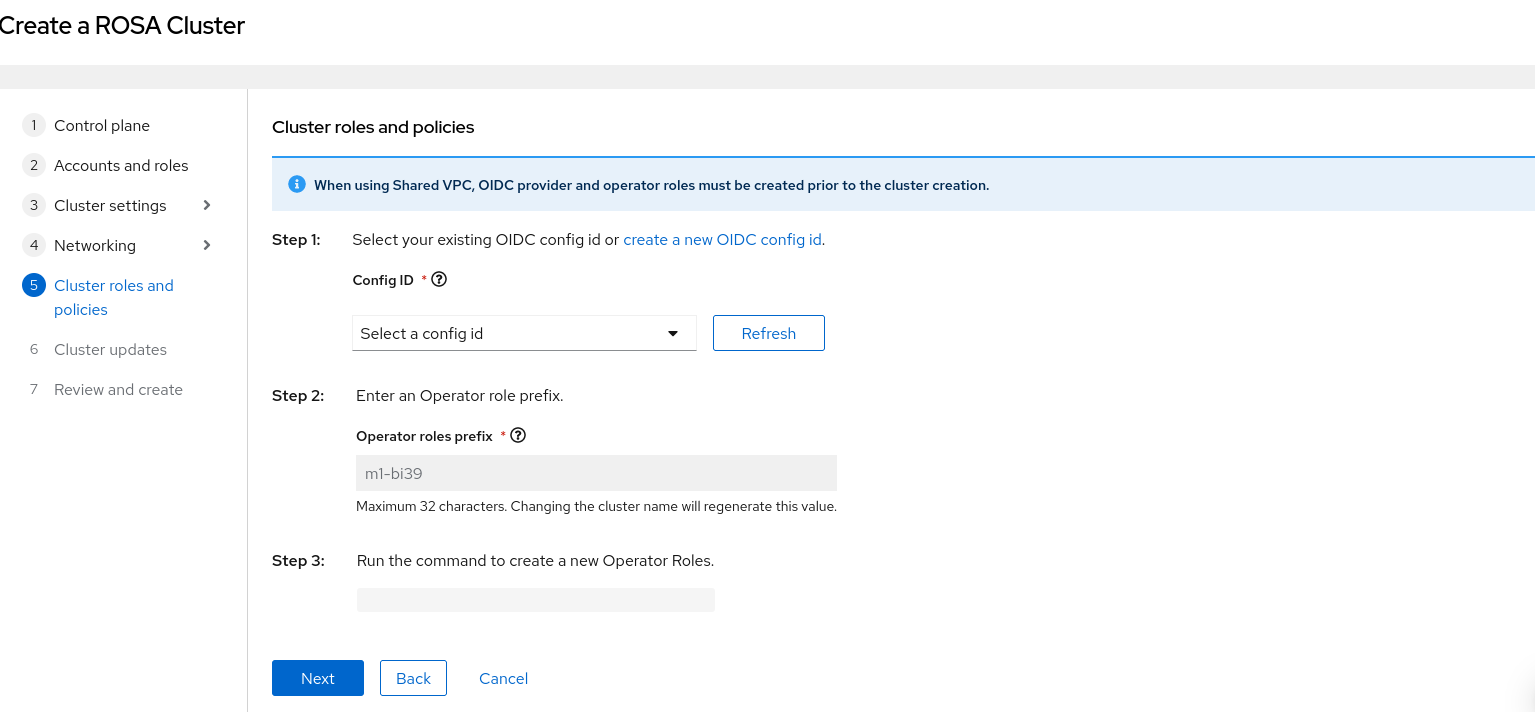
During ROSA classic creation, in wizard (Networking step)user has decided to go with custom VPC with a shared VPC definition. User has made changes i.e. checked "install into shared VPC" option but later decided not to use custom VPC and unchecked the VPC settings (Install into an existing VPC checkbox) from configuration step. Proceed to next steps but in "Cluster roles and policies" step, the options and indication shows the reference of shared VPC definition. i.e Create OIDC Later and Create OIDC now steps are missing.
See attached recordings : ClusterRolesPolicesVsSharedVPC.mp4
How reproducible:
Always
Steps to reproduce:
- Launch OCM UI staging
- Open ROSA wizard and control plane type as "Classic".
- Fill all required information in each step and reach to "Networking" step.
- Check "Install into an existing VPC" and click "Next"
- Check "Install into AWS shared VPC" and fill all required info.
- Click "back" button.
- Uncheck "Install into an existing VPC" and click "Next"
- Reach to "Cluster roles and policies" and see the definition.
Actual results:
At step7, Although user has decided not to use any custom VPC but in the "Cluster roles and policies" step definition, still loaded as if shared VPC definition selected.
Expected results:
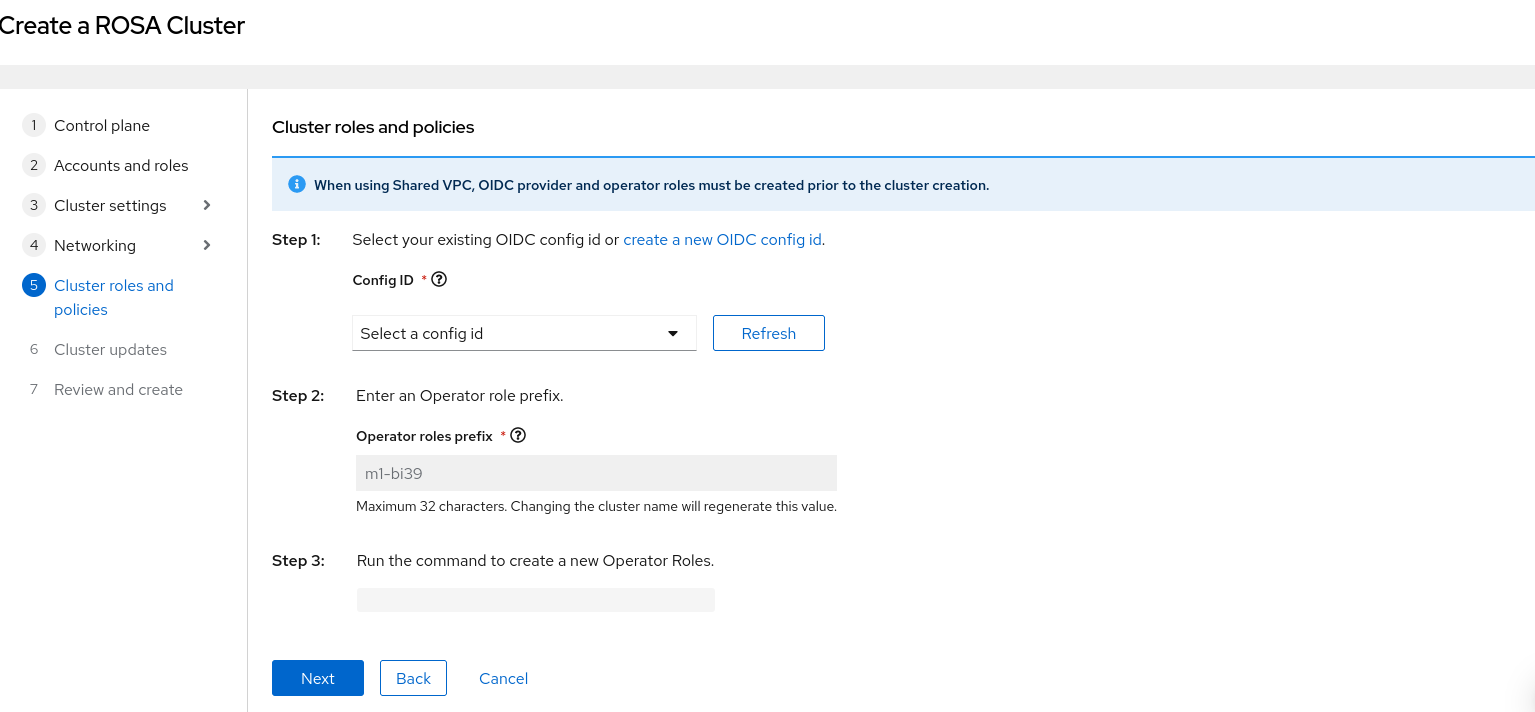
Cluster roles and policies step should respect and load definition based on the latest changes made in networking step.
- is related to
-
HAC-797 [OCM Wizards] Support preexisting Route53 for BYO VPC in OSD/ROSA during installation
-
- Closed
-
- mentioned on
