-
Bug
-
Resolution: Done
-
 Critical
-
None
-
None
-
False
-
False
-
None
Description of problem:
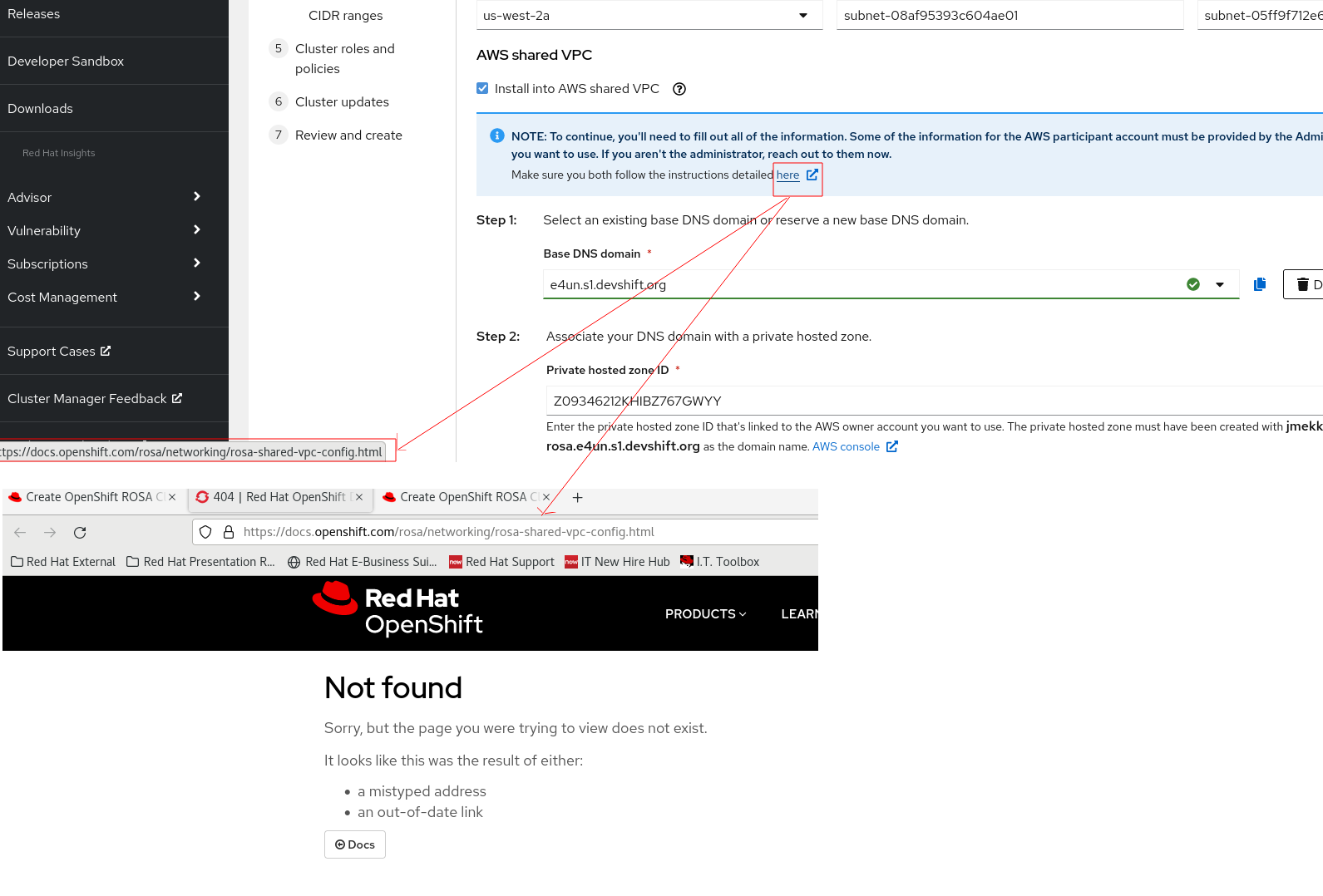
The help link in shared VPC section of ROSA classic wizard is broken and returns 404 page not found.
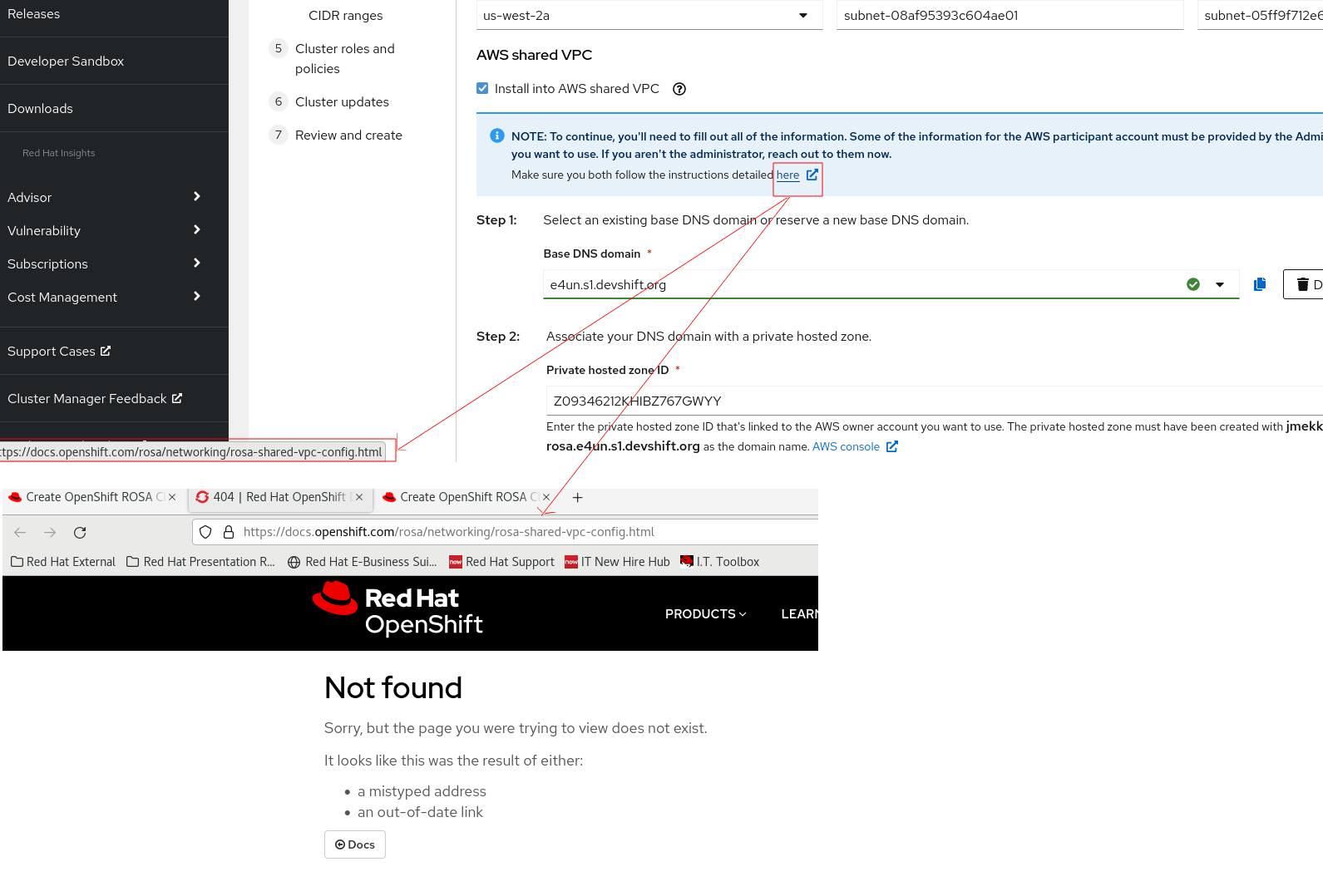
Link redirected to https://docs.openshift.com/rosa/networking/rosa-shared-vpc-config.html and which is wrong.
The correct link (which is also live) is https://docs.openshift.com/rosa/rosa_install_access_delete_clusters/rosa-shared-vpc-config.html
See the slack reference https://redhat-internal.slack.com/archives/C054PJX8LE8/p1694070815485459
How reproducible:
Always
Steps to reproduce:
- Open ROSA wizard and control plane type as "Classic".
- Fill all required information in each step and reach to "Networking" step.
- Check "Install into an existing VPC" and click "Next"
- Check "Install into AWS shared VPC"
- Click the link "here" for viewing AWS shared instructions seen in the Note section.
- See the behavior.
Actual results:
The link seems broken and redirected to a page which is not available.
Expected results:
The correct link should be https://docs.openshift.com/rosa/rosa_install_access_delete_clusters/rosa-shared-vpc-config.html and need a change.
- is related to
-
HAC-797 [OCM Wizards] Support preexisting Route53 for BYO VPC in OSD/ROSA during installation
-

- Closed
-
- mentioned on
