-
Bug
-
Resolution: Unresolved
-
 Major
Major
-
1.19.1
-
False
-
-
False
-
-
-
Description of Problem
- The OpenShift web console GitOps Applications page fails to load when at least one Argo CD Application resource exists with an invalid or incomplete source definition (missing 'targetRevision').
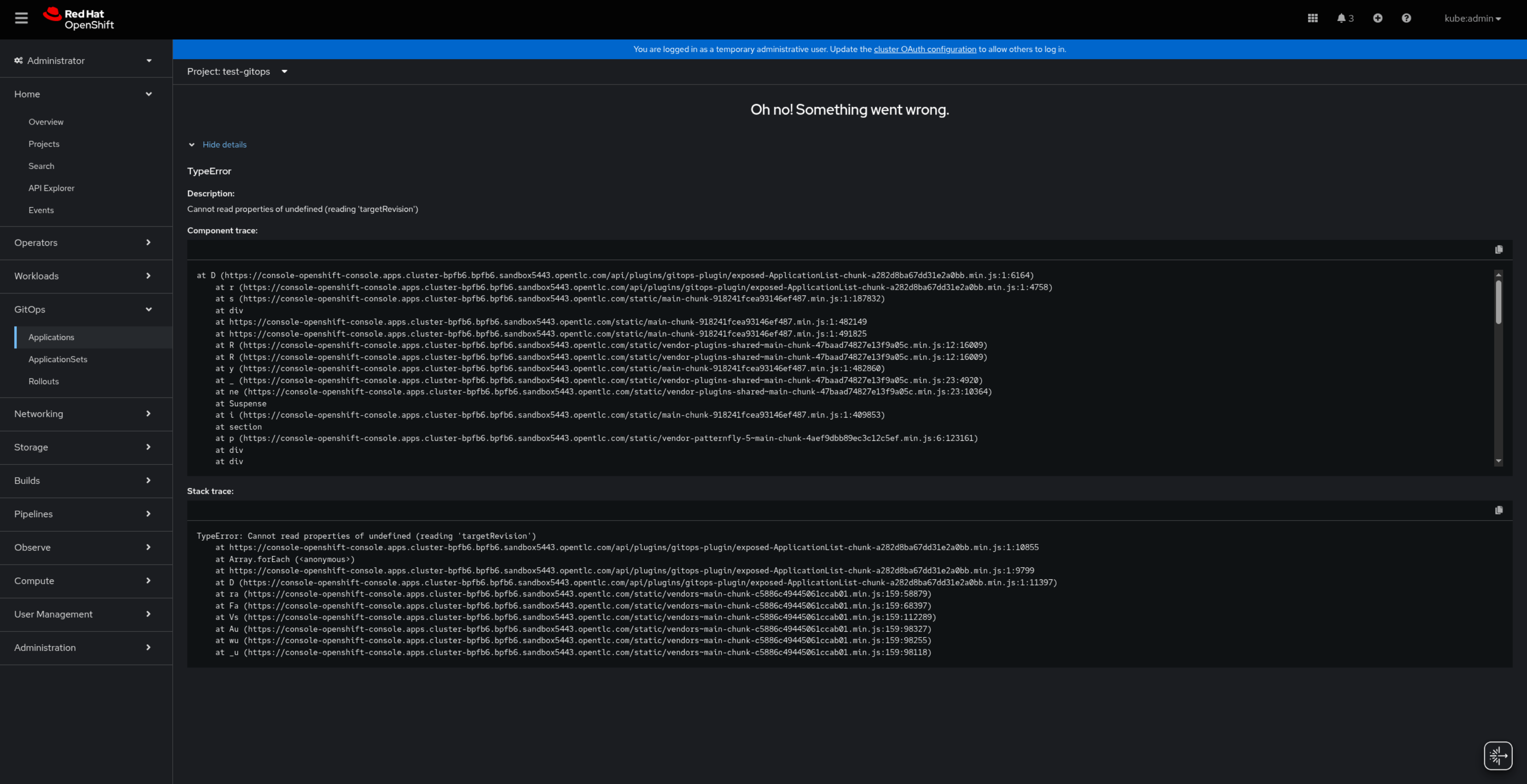
In OpenShift 4.18, the console displays “Oh no! Something went wrong.”
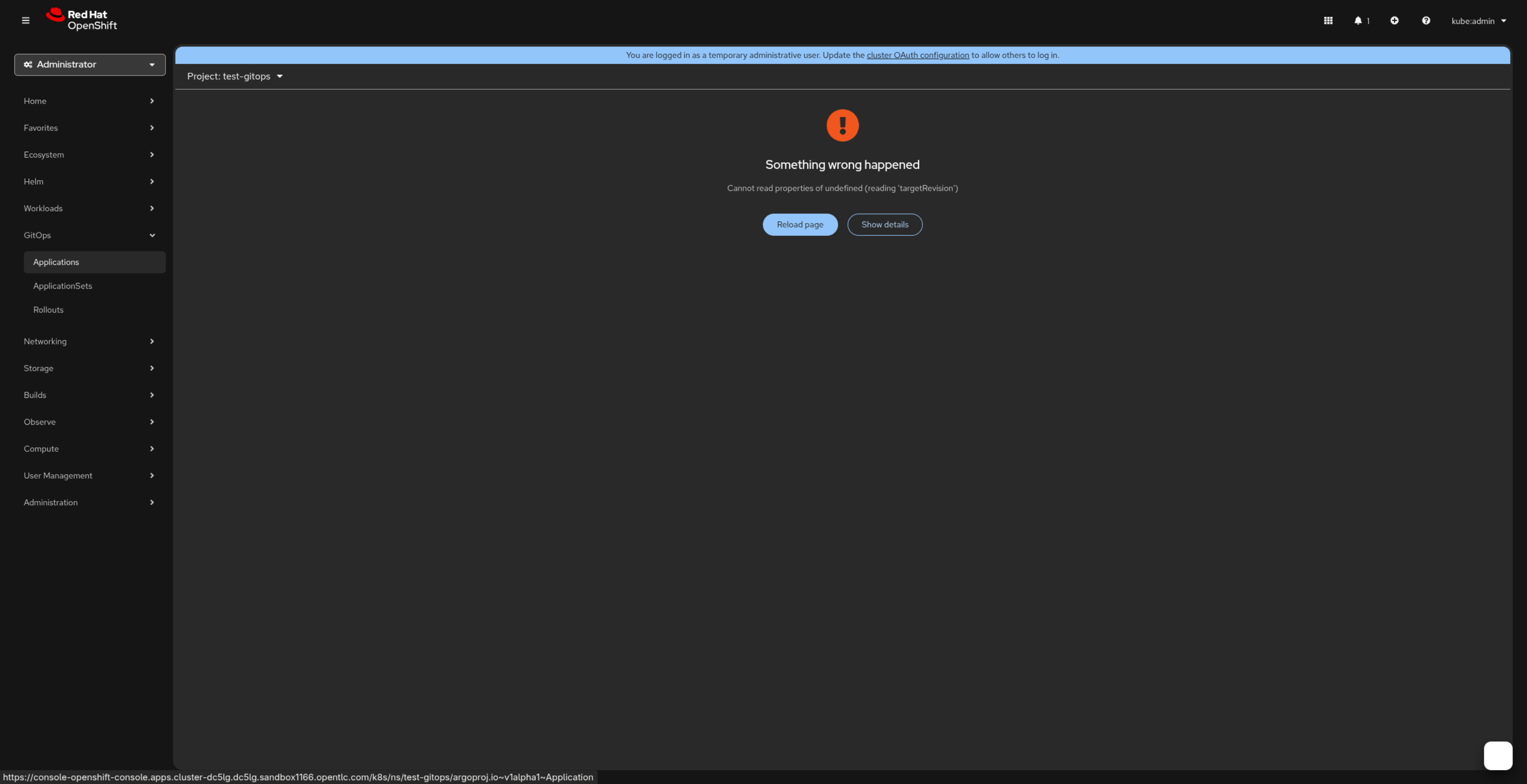
In OpenShift 4.20, the console displays “Something wrong happened” along with the JavaScript error Cannot read properties of undefined (reading 'targetRevision').
This causes the GitOps Applications view to fail for all projects, even though other Applications are valid.
The Argo CD UI and CLI continue to function correctly; the issue is isolated to the OpenShift web console GitOps UI.
Reproducibility
- Always
Prerequisites/Environment
- Red Hat OpenShift Container Platform 4.x
- Red Hat OpenShift GitOps 1.19
Steps to Reproduce
- Install and configure OpenShift GitOps 1.19 on an OpenShift cluster 4.x
- Create an Argo CD Application resource with an invalid or incomplete source definition, for eg :
- apiVersion: argoproj.io/v1alpha1
kind: Application
metadata:
name: broken-app
namespace: test-gitops
spec:
destination:
server: https://kubernetes.default.svc
namespace: test-gitops
project: default - Log in to the OpenShift web console.
- Navigate to GitOps → Applications.
Expected Results
OCP 4.18
- OCP 4.20*
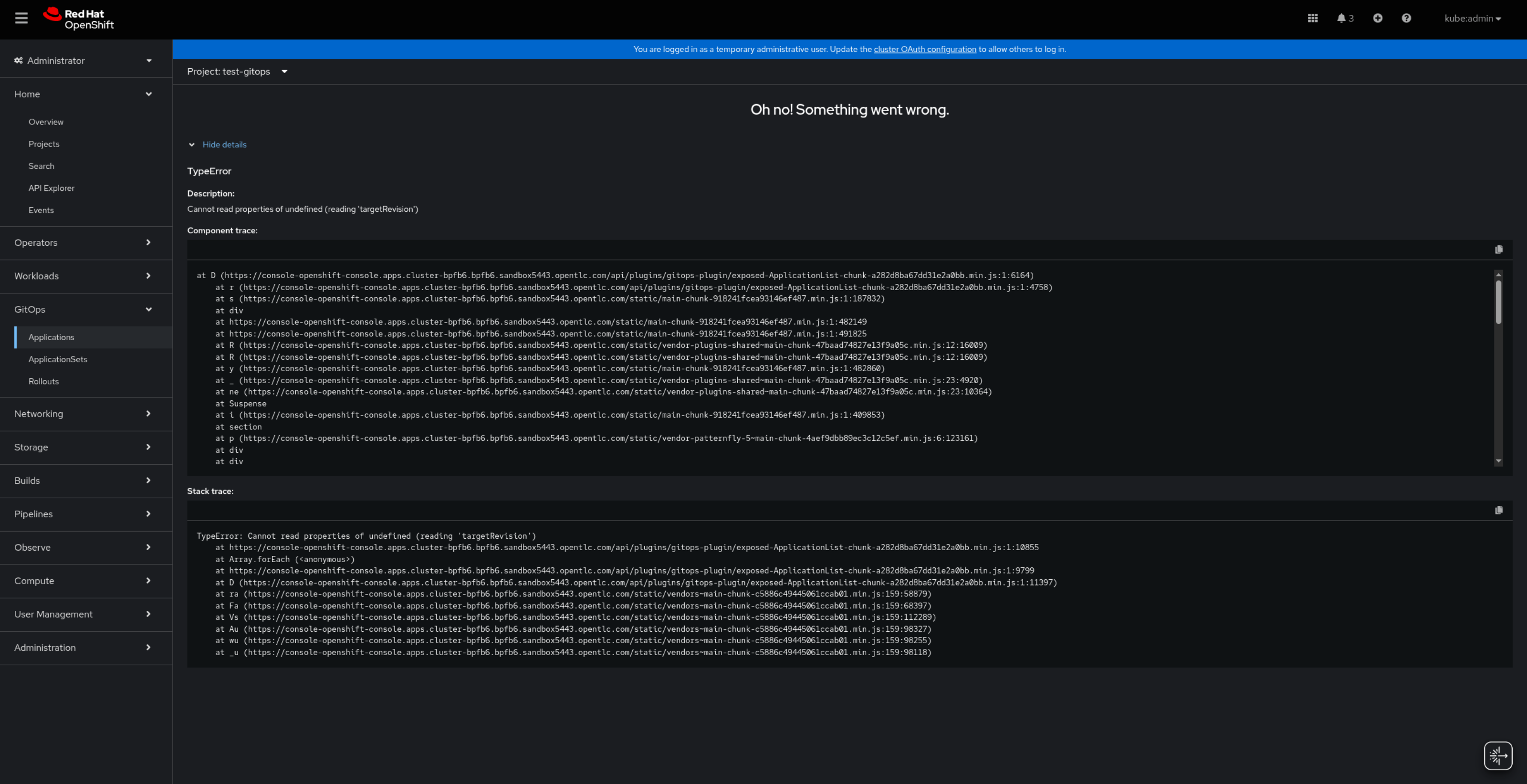
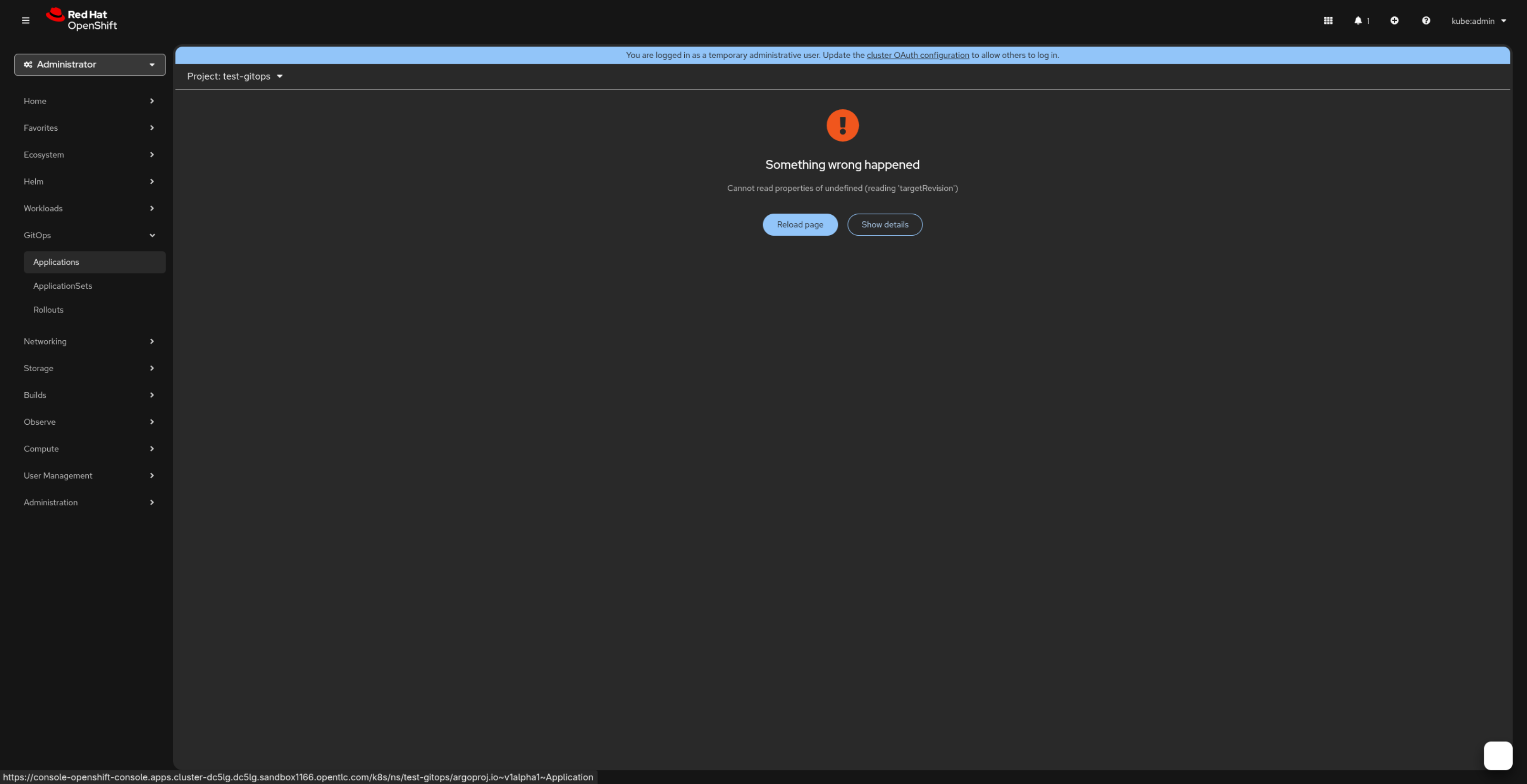
Actual Results
- ...
Problem Analysis
- <Completed by engineering team as part of the triage/refinement process>
Root Cause
- <What is the root cause of the problem? Or, why is it not a bug?>
Workaround (If Possible)
Option 1: Fix the malformed Application
1. Identify the invalid Application.
2. Edit the Application to include a valid spec.source with 'targetRevision'
For Example :
~~~
spec:
source:
repoURL: <repository-url>
path: <path>
targetRevision: HEAD #based on your Git repository configuration
~~~
Once all Applications contain a valid source definition, the GitOps UI loads normally.
Option 2: Delete the malformed Application
~~~
$ oc delete application <application-name> -n <namespace>
~~~
This restores the OpenShift GitOps UI.
Fix Approaches
- <If we decide to fix this bug, how will we do it?>
Acceptance Criteria
- ...
Definition of Done
- Code Complete:
- All code has been written, reviewed, and approved.
- Tested:
- Unit tests have been written and passed.
- Ensure code coverage is not reduced with the changes.
- Integration tests have been automated.
- System tests have been conducted, and all critical bugs have been fixed.
- Tested and merged on OpenShift either upstream or downstream on a local build.
- Documentation:
- User documentation or release notes have been written (if applicable).
- Build:
- Code has been successfully built and integrated into the main repository / project.
- Midstream changes (if applicable) are done, reviewed, approved and merged.
- Review:
- Code has been peer-reviewed and meets coding standards.
- All acceptance criteria defined in the user story have been met.
- Tested by reviewer on OpenShift.
- Deployment:
- The feature has been deployed on OpenShift cluster for testing.