-
Bug
-
Resolution: Can't Do
-
 Undefined
-
None
-
None
-
False
-
-
False
-
-
Description of the problem:
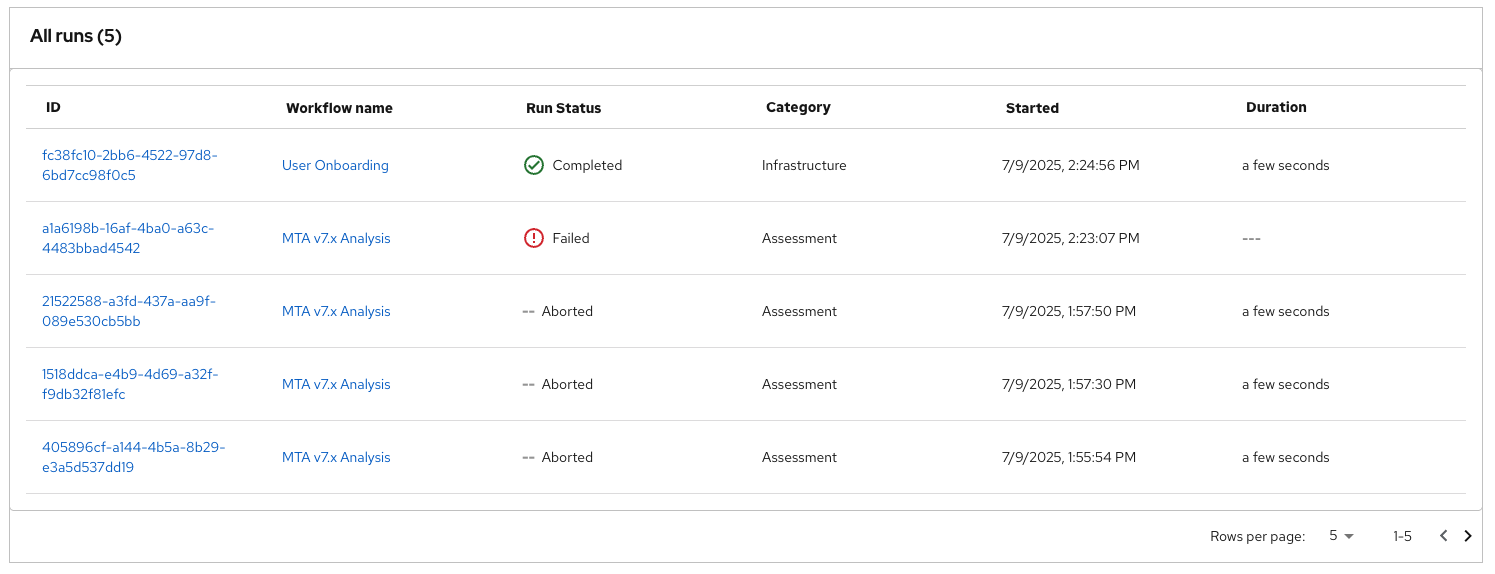
The issue is around pagination. With much more than 5, 10, or 20 workflow runs (I personally have 50+ in the attached screenshot), when adjusting Rows per page we display the rows per page, not the total number of runs in All Runs (n) table header.
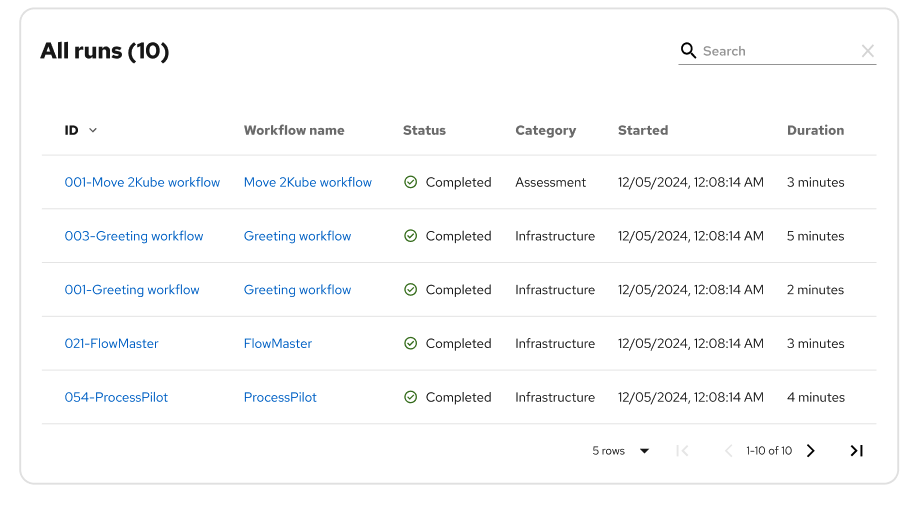
Find AllRunsPaginationIssue.png attached alongside the Figma design. We may need to render the total number of workflow runs in one of the existing API calls, or another API call.
How reproducible:
100%
Steps to reproduce:
1. Run more than 20 workflows
2. Navigate to RHDH Orchestrator -> All Runs
3. Select any value in the Rows per page dropdown that is less than the total number of runs
Actual results:
The All runs header will display the rows per page and underneath the table something akin to 1-N of total workflow runs is not displayed, where N is the rows per page.
Expected results:
The All runs header should display the overall number of workflow runs and underneath the table 1-N of total workflow runs should be displayed, where N is the rows per page.