Uploaded image for project: 'OpenShift Virtualization'
  1. OpenShift Virtualization
  2. CNV-76115

NNC navigation button is misplaced

XMLWordPrintable

    • Icon: Bug Bug
    • Resolution: Unresolved
    • Icon: Undefined Undefined
    • CNV v4.22.0
    • CNV v4.21.0
    • CNV User Interface
    • None
    • Quality / Stability / Reliability
    • False
    • Hide

      None

      Show
      None
    • False
    • None
    • None

      Description of problem:

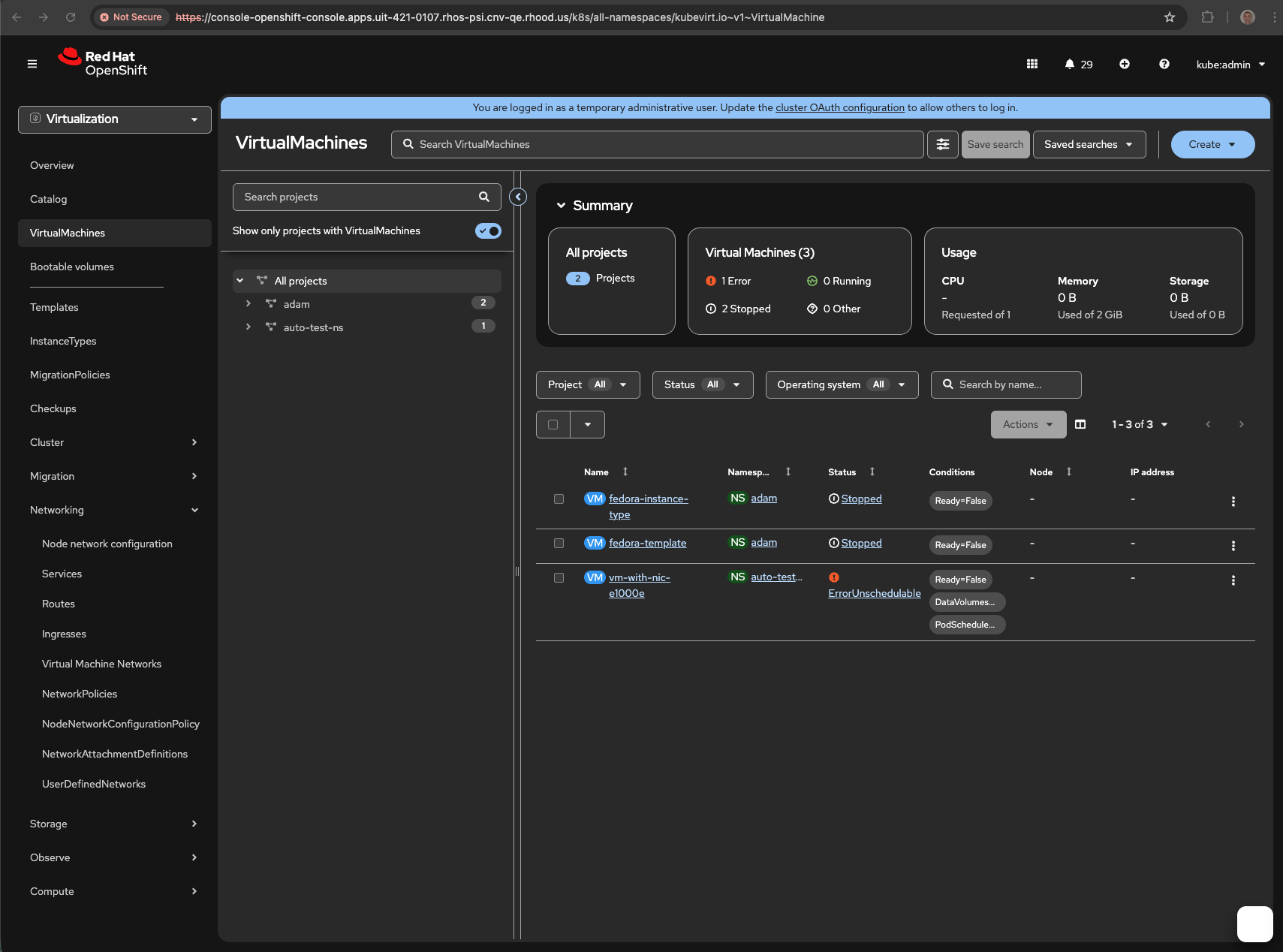
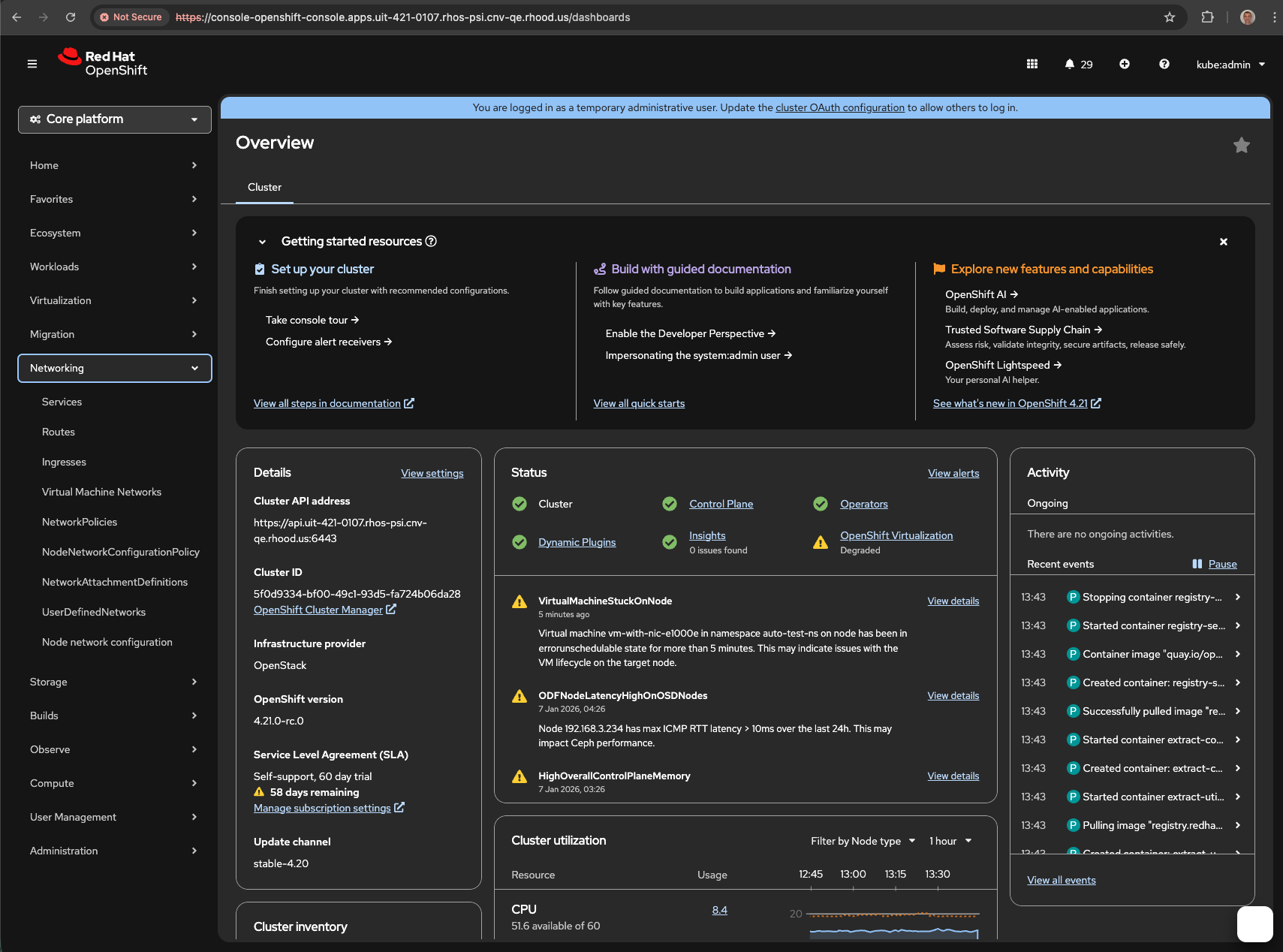
      In "Virtualization" perspective, the NNC appears as first item in Networking section, while in "Core platform" it is placed last.

      Version-Release number of selected component (if applicable):

      CNV-v4.21.0.rhel9-123

      How reproducible:

      always

      Steps to Reproduce:

      1. open Networking section in "Core platform" perspective
      2. open Networking section in "Virtualization" perspective
      

      Actual results:


      Expected results:


      Additional info:


        1. Screenshot 2026-01-07 at 13.45.33.png
          216 kB
          Leon Kladnitsky
        2. Screenshot 2026-01-07 at 13.44.37.png
          327 kB
          Leon Kladnitsky

              rh-ee-aviktora Adam Viktora
              rhn-support-lkladnit Leon Kladnitsky
              Leon Kladnitsky Leon Kladnitsky
              Votes:
              0 Vote for this issue
              Watchers:
              2 Start watching this issue

                Created:
                Updated: