Uploaded image for project: 'OpenShift Virtualization'
  1. OpenShift Virtualization
  2. CNV-74079

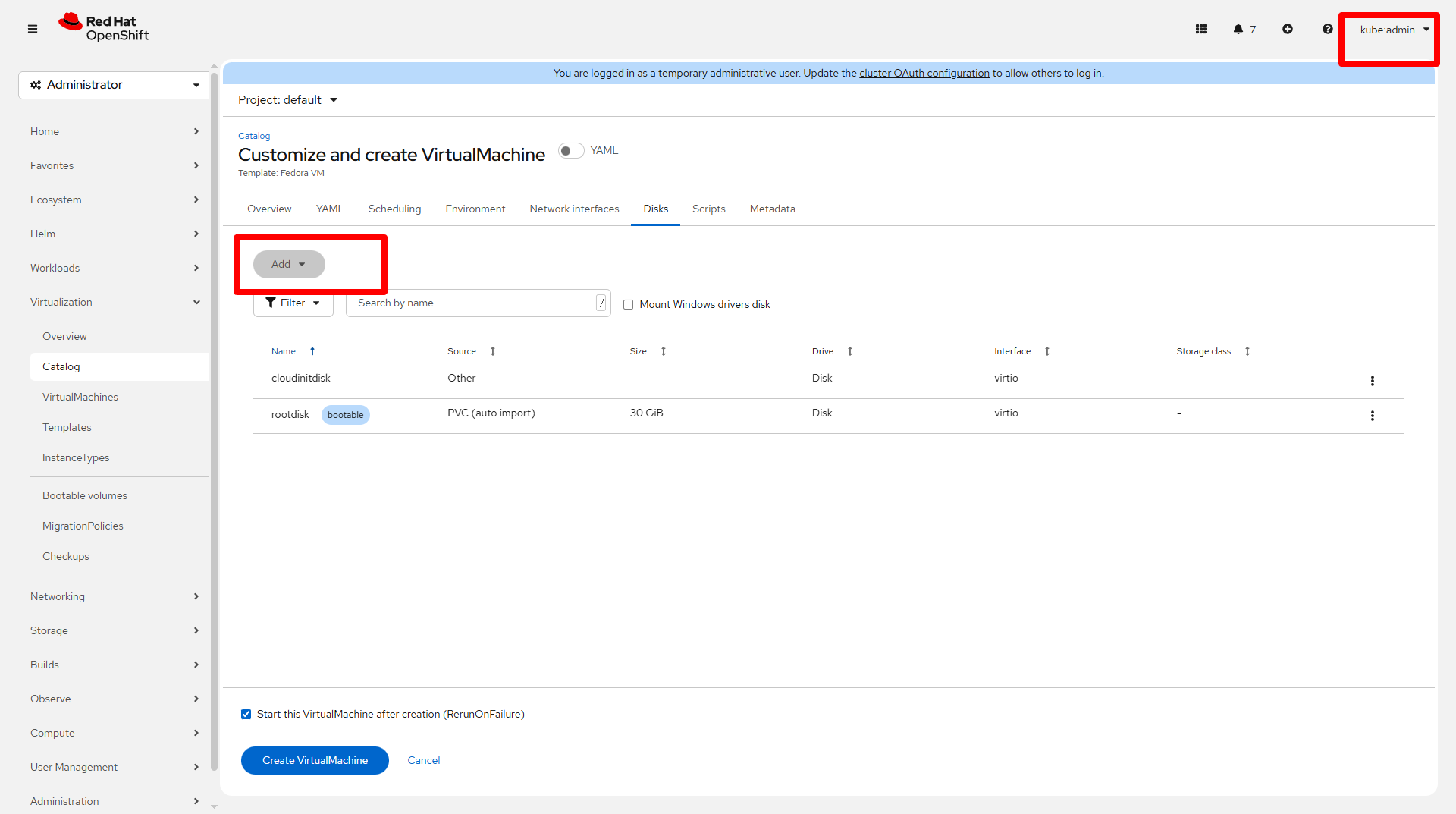
"Add" button on disk tab is disabled when creating VM from template

XMLWordPrintable

    • Quality / Stability / Reliability
    • False
    • Hide

      None

      Show
      None
    • False
    • None
    • None

      Description of problem:

      "Add" button on storage tab is disabled when creating VM from template

      Version-Release number of selected component (if applicable):


      How reproducible:


      Steps to Reproduce:

      1.Go to cataloge - Template tab
      2.Select a template and customize the VM
      3.Go to disks tab
      

      Actual results:

      "Add" is disabled

      Expected results:


      Additional info:


        1. add_disk.png
          145 kB
          Guohua Ouyang

          There are no Sub-Tasks for this issue.

              rh-ee-aviktora Adam Viktora
              gouyang1@redhat.com Guohua Ouyang
              Guohua Ouyang Guohua Ouyang
              Votes:
              0 Vote for this issue
              Watchers:
              3 Start watching this issue

                Created:
                Updated: