-
Bug
-
Resolution: Unresolved
-
 Normal
-
None
-
Quality / Stability / Reliability
-
False
-
-
False
-
None
-
-
None
Description of problem:
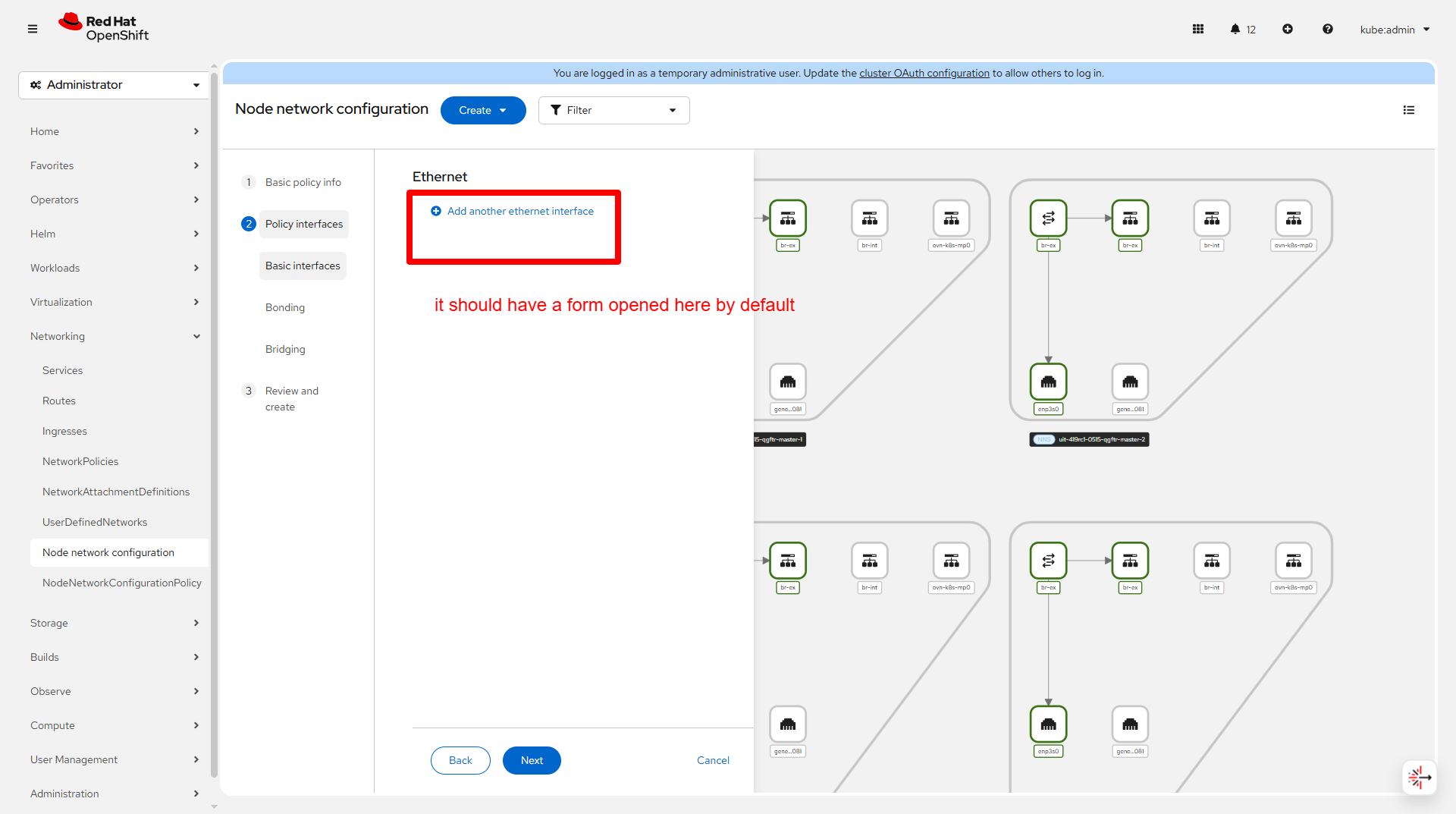
Miss default form in step 2 while adding node network configuration policy
Version-Release number of selected component (if applicable):
How reproducible:
Steps to Reproduce:
1. Go to Networking ->  Node network configuration
2. Click Create -> From form
3. Move on to step 2
Actual results:
It shows button "Add another ethernet interface"
Expected results:
It shows a form and then a button "Add another ethernet interface" below the form
Additional info:
- relates to
-
CNV-62005 QE Automation fix/missing: Miss default form in step 2 while adding node network configuration policy
-

- New
-
- links to
-
 RHEA-2025:155516
OpenShift Virtualization 4.21.0 Images
RHEA-2025:155516
OpenShift Virtualization 4.21.0 Images


