-
Bug
-
Resolution: Done-Errata
-
 Major
Major
-
CNV v4.19.0
-
Quality / Stability / Reliability
-
2
-
False
-
-
False
-
CNV v4.19.0.rhel9-128
-
-
Important
-
None
button Description of problem:
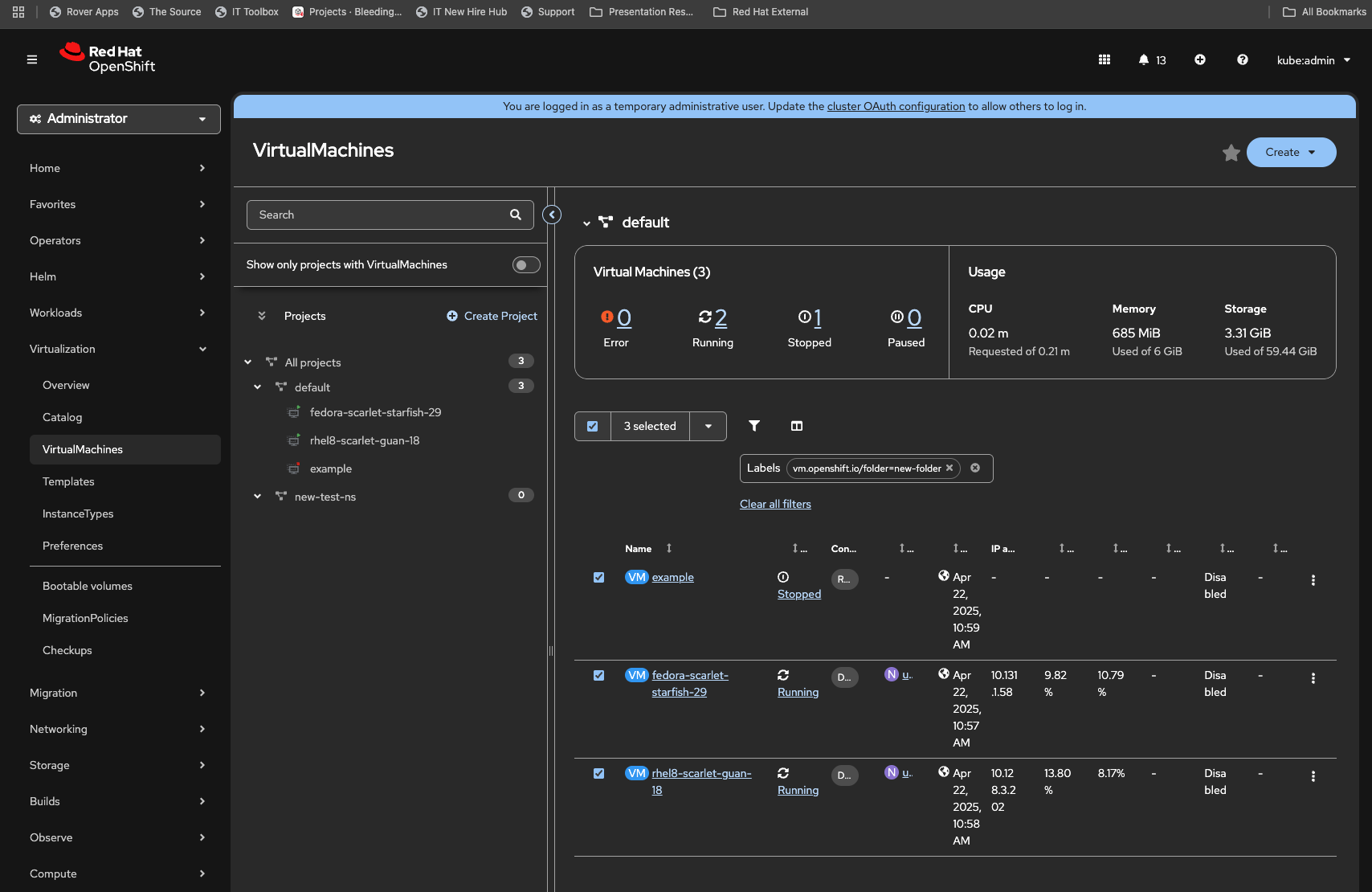
If VMs are moved to some folder and then are moved back to project root, The Actions button and pagination are lost.
Version-Release number of selected component (if applicable):
How reproducible:
always
Steps to Reproduce:
1. Navigate to Virtualmachines
2. Select all or some VMs
3. Click Actions -> Move to folder
4. Type folder name, Save
5. Select all VMs that are in Folder now
6. Click Actions -> Move to folder
7. Leave folder name empty, Save
Actual results:
Actions button and pagination are gone
Expected results:
Additional info:
- links to
-
 RHEA-2025:145122
OpenShift Virtualization 4.19.0 Images
RHEA-2025:145122
OpenShift Virtualization 4.19.0 Images
- mentioned on


