-
Bug
-
Resolution: Done
-
 Minor
Minor
-
ACM 2.9.0
-
None
-
1
-
False
-
-
False
-
-
-
GRC Sprint 2023-23, GRC Sprint 2024-05
-
Informational
-
No
Description of problem:
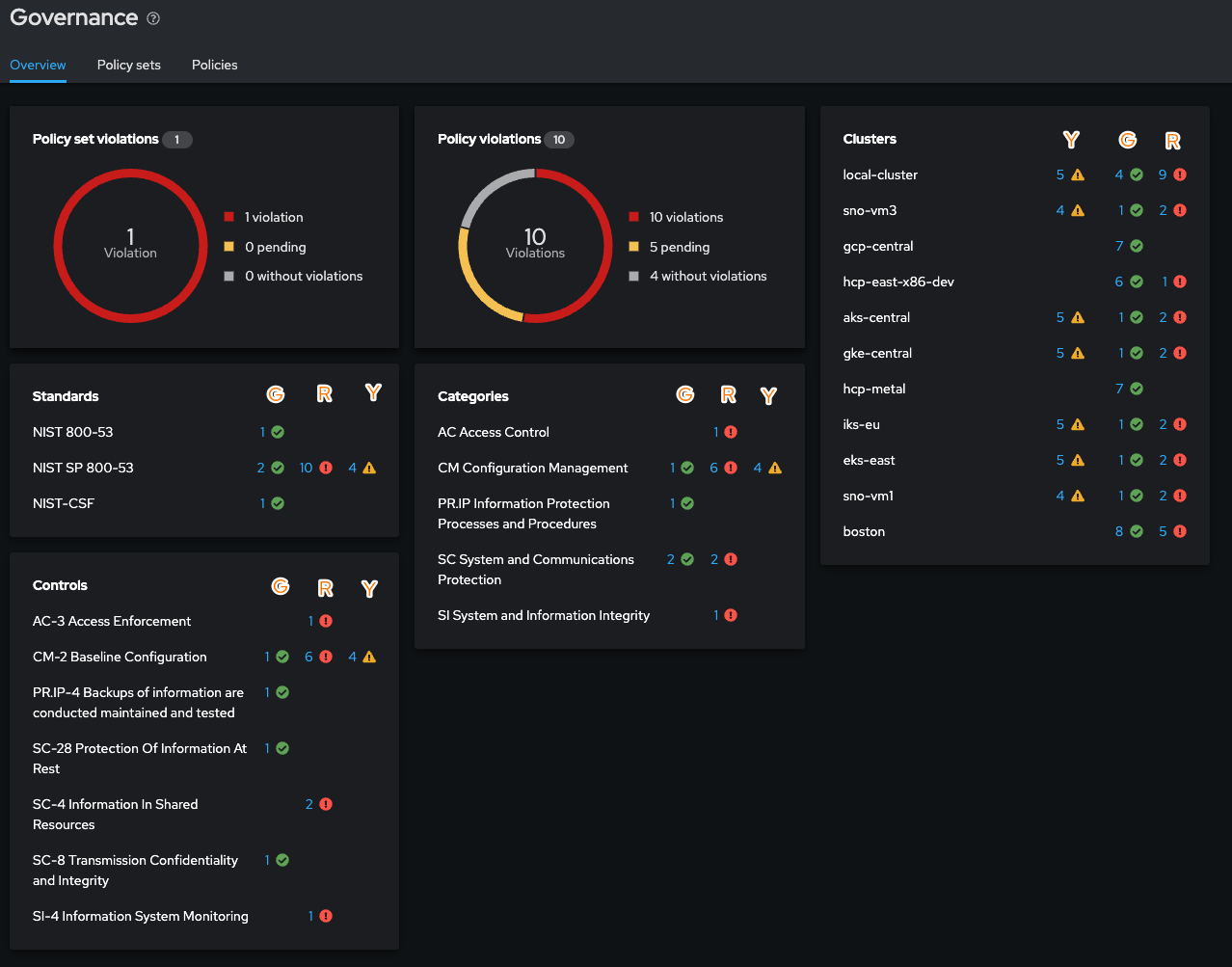
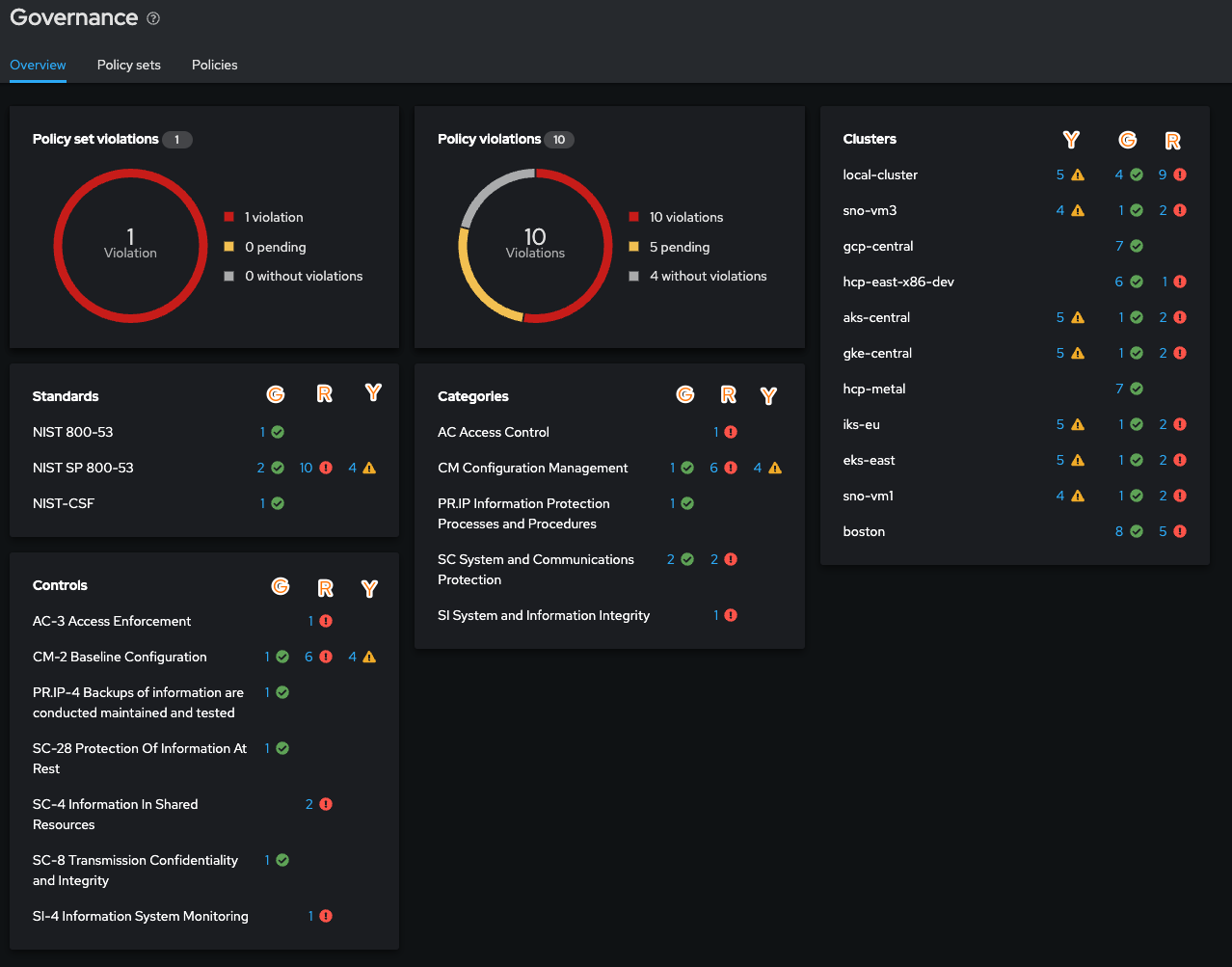
In the GRC dashboard, the upper right section displays the Clusters table with an icon ordering of: warning, success, fail
All other areas of the GRC dashboard are instead: success, fail, warning
Version-Release number of selected component (if applicable):
ACM 2.9.0 / MCE 2.4.1
How reproducible:
Seems very reproducible.
Steps to Reproduce:
- deploy a policy that is compliant
- deploy a policy that is non compliant
- deploy a policy that is not yet returning a status
- view the GRC dashboard upper right section "Clusters" and see the order of icons
- then check the other aspects of the GRC dashboard and notice the order of the icons
- ...
Actual results:
Inconsistent ordering of the status icons.
Expected results:
I would expect consistent ordering of the icons.
Additional info: