Uploaded image for project: 'Red Hat Advanced Cluster Management'
  1. Red Hat Advanced Cluster Management
  2. ACM-30257

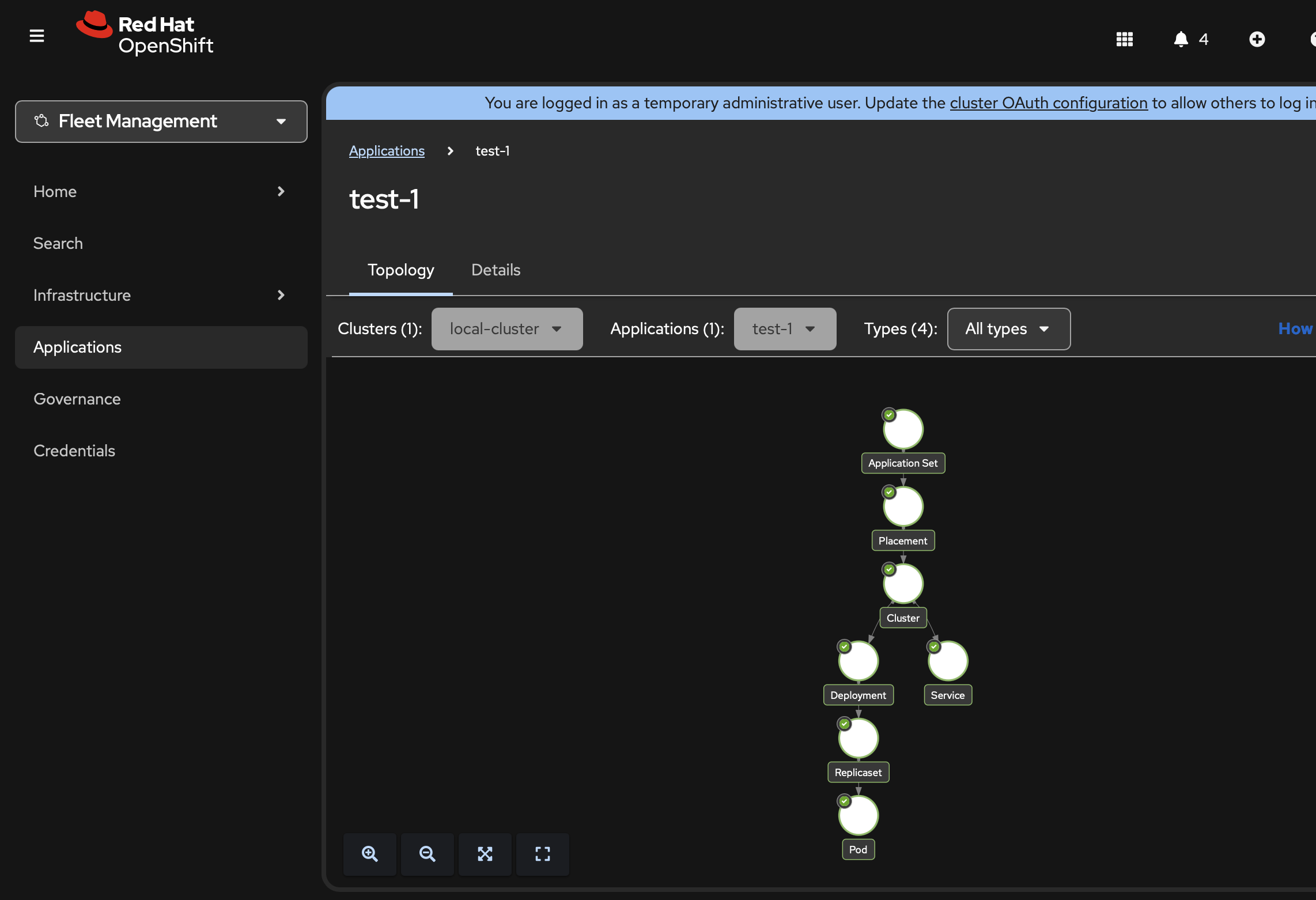
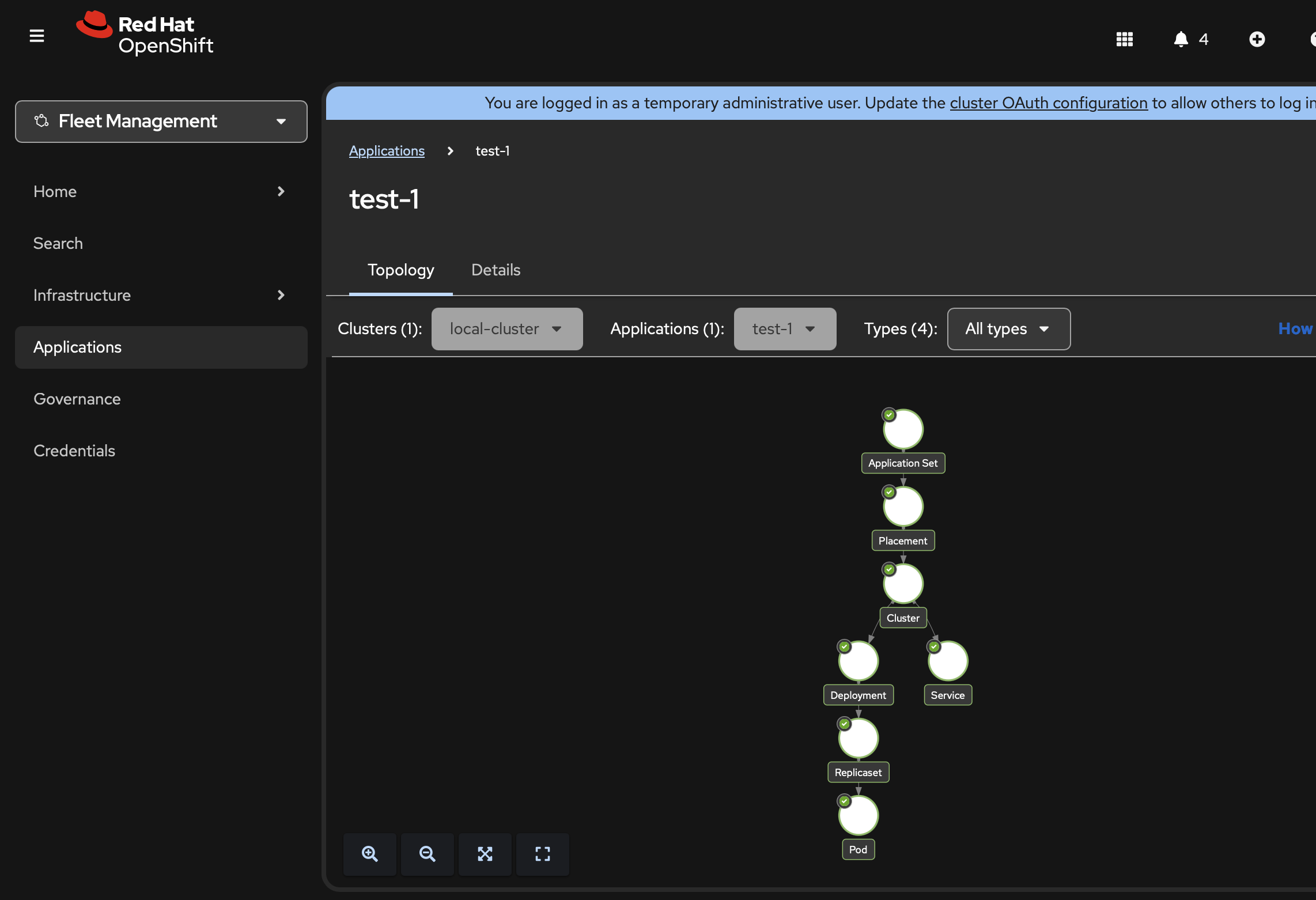
Application Topology icons do not show on Safari in Dark Mode

XMLWordPrintable

    • Icon: Bug Bug
    • Resolution: Unresolved
    • Icon: Undefined Undefined
    • None
    • ACM 2.16.0
    • Console
    • None
    • Quality / Stability / Reliability
    • False
    • Hide

      None

      Show
      None
    • False
    • Low
    • None

      Description of problem:

      Application Topology icons do not show on Safari in Dark Mode

      Version-Release number of selected component (if applicable):

      ACM 2.16.0-DOWNSTREAM-2026-02-17-23-50-31

      How reproducible:

      Always - on Safari

      Steps to Reproduce:

      1. Click on any application (preexisting or newly created)
      2. Check topology
      3. ...

      Actual results:

      Expected results:

      Icons should be visible

      Additional info:

      Not sure if regression as we don't test on Safari...

      Low because you can switch back to light mode to see the icons
              rh-ee-kcormier Kevin Cormier
              rh-ee-almng Almen Ng
              David Huynh David Huynh
              ACM QE Team
              Votes:
              0 Vote for this issue
              Watchers:
              1 Start watching this issue

                Created:
                Updated: