-
Bug
-
Resolution: Unresolved
-
 Normal
-
ACM 2.16.0
-
None
Description of problem:
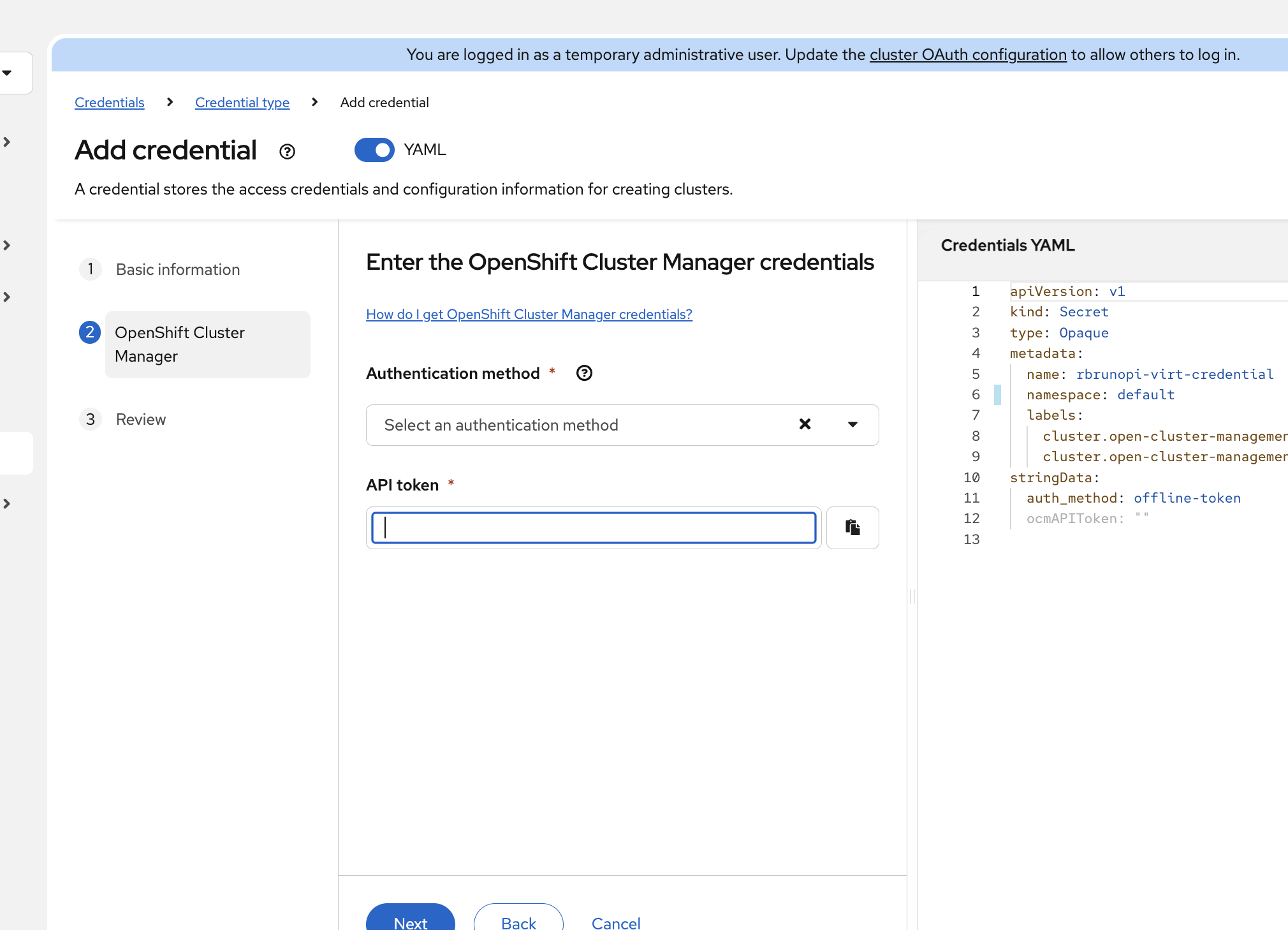
When creating a OpenShift Cluster Manager credential, authentication method does not appear in select box after selection
Version-Release number of selected component (if applicable):
ACM 2.16
How reproducible:
Easily
Steps to Reproduce:
1. Go to ACM console, Credentials > Create > OpenShift Cluster Manager
2. When you get to authentication method, make a selection like "API Token"
3. Note that the select form remains empty.
Actual results:
...the select form remains empty.
Expected results:
The value selected should appear on the face of the select.
Additional info:
- is duplicated by
-
-
- Closed
-