-
Bug
-
Resolution: Unresolved
-
 Undefined
-
None
-
None
-
None
-
None
-
None
-
False
-
-
None
-
None
-
None
-
None
-
None
-
None
-
None
-
None
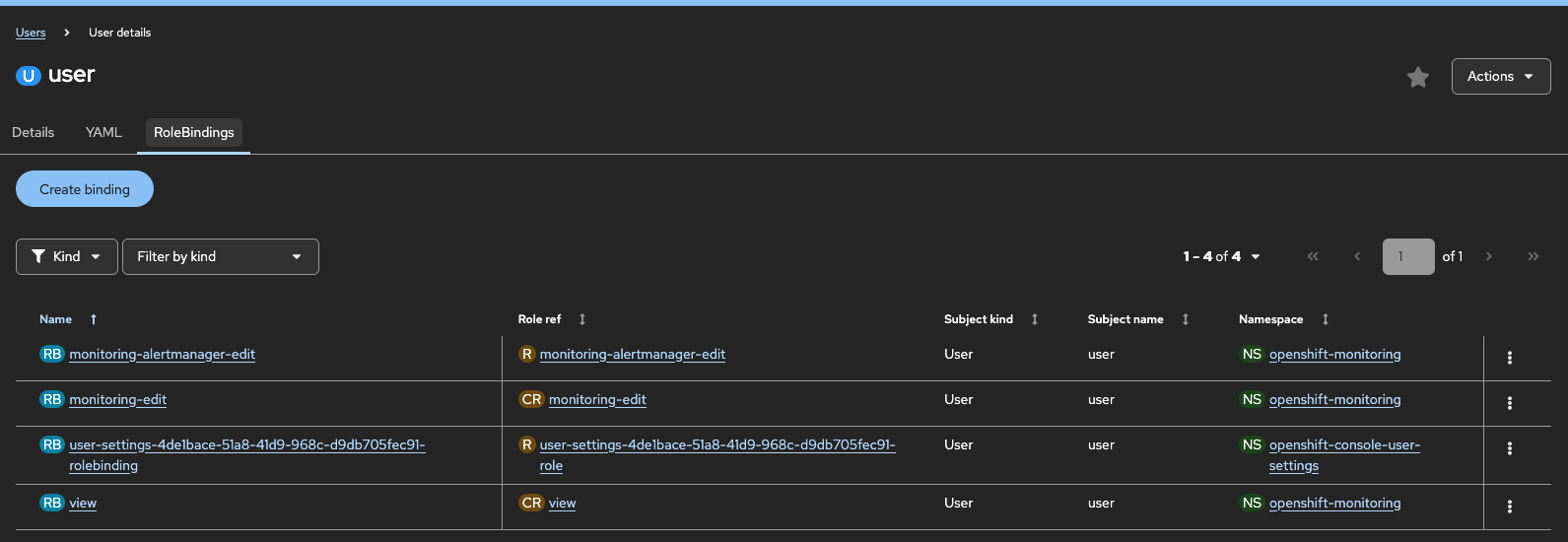
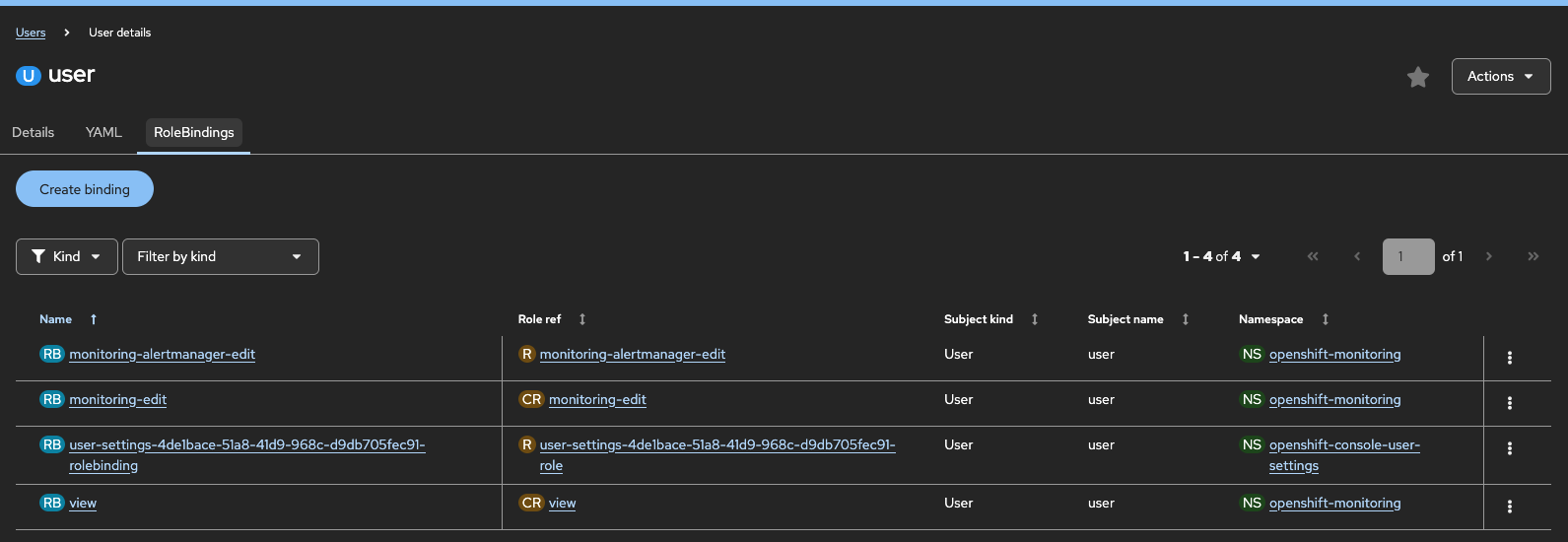
- Create a dev user that has access to openshift-monitoring namespace
- Login as dev user
- In these testing cluster, I can see the dev user has access by default to openshift-virtualization-os-images, probably because Openshift Virtualization is installed
- However, due to lack of permissions for this namespace openshift-virtualization-os-images or any other reason:
- Go To Observe > Alerting
- Select openshift-virtualization-os-images => You don't have access to this section due to cluster policy with Forbidden (user=user, verb=get, resource=prometheusrules, subresource=)
- Switch to Silences tab => suddenly namespace is changed to All Projects and you are able to see all active
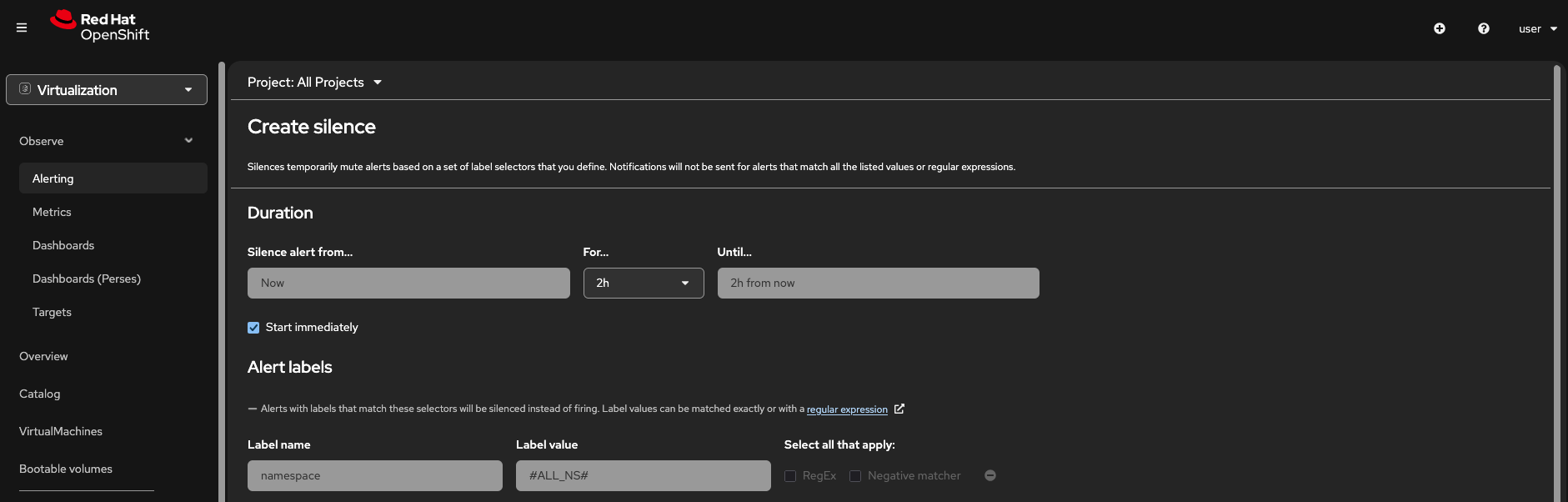
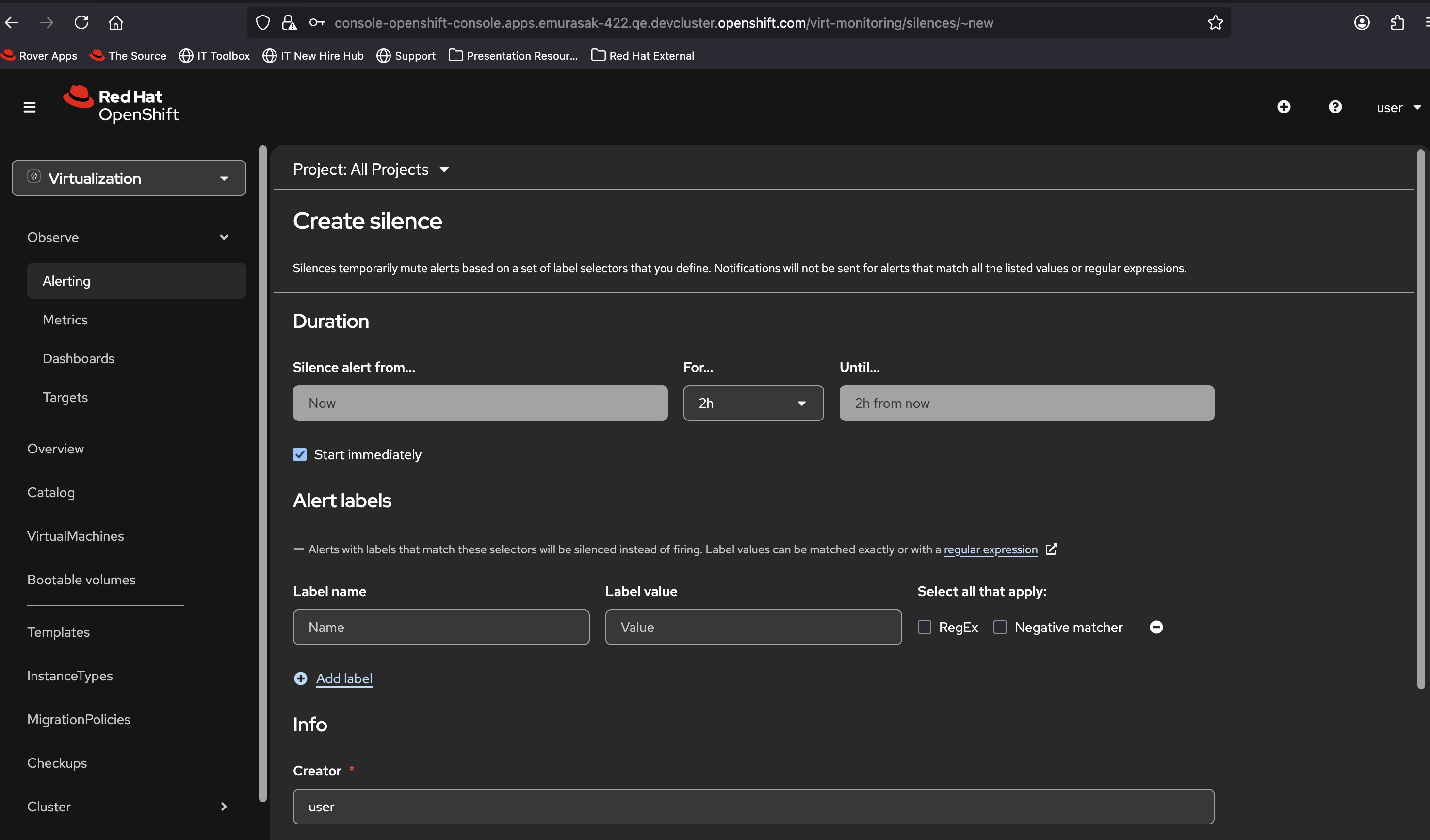
- Create a silence => Label where Label name = namespace, we have Label value = #ALL_NS#
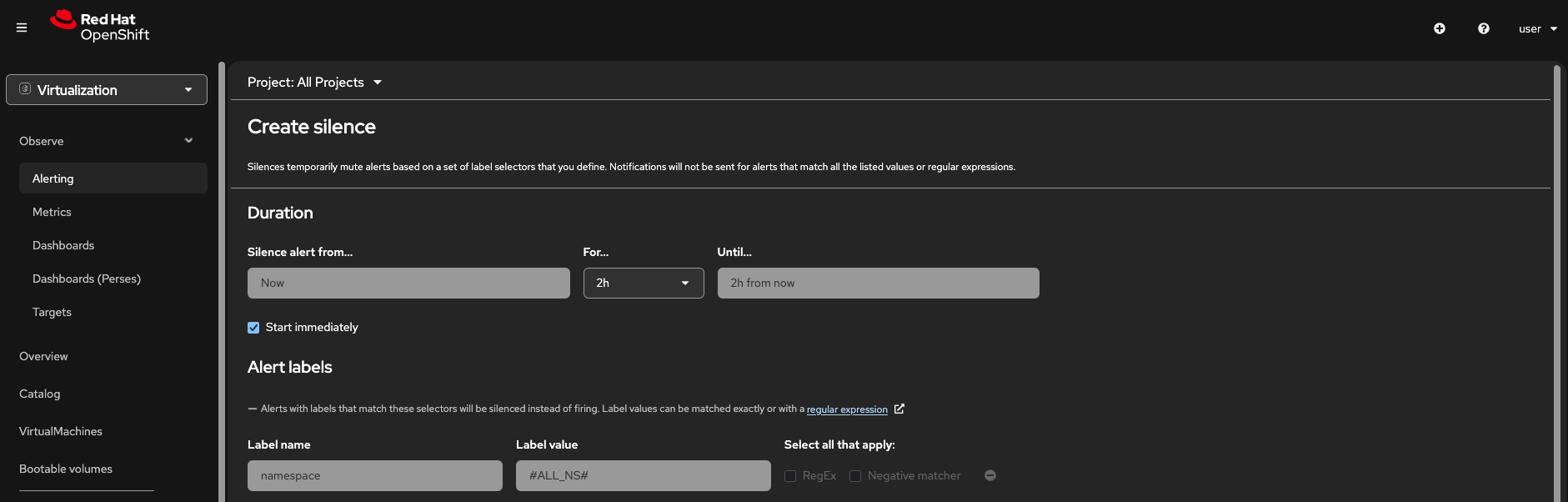
- Click Create => invalid silence: invalid label matcher 0: invalid label name ""
-
- Dismiss this creation
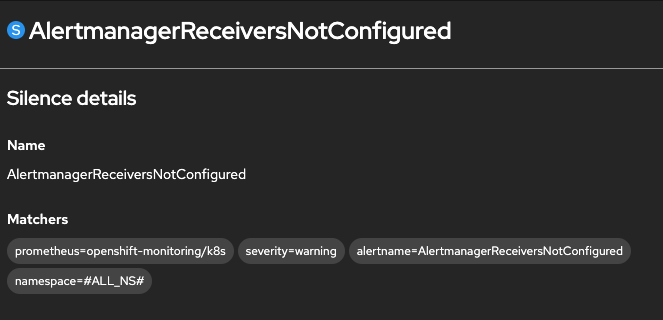
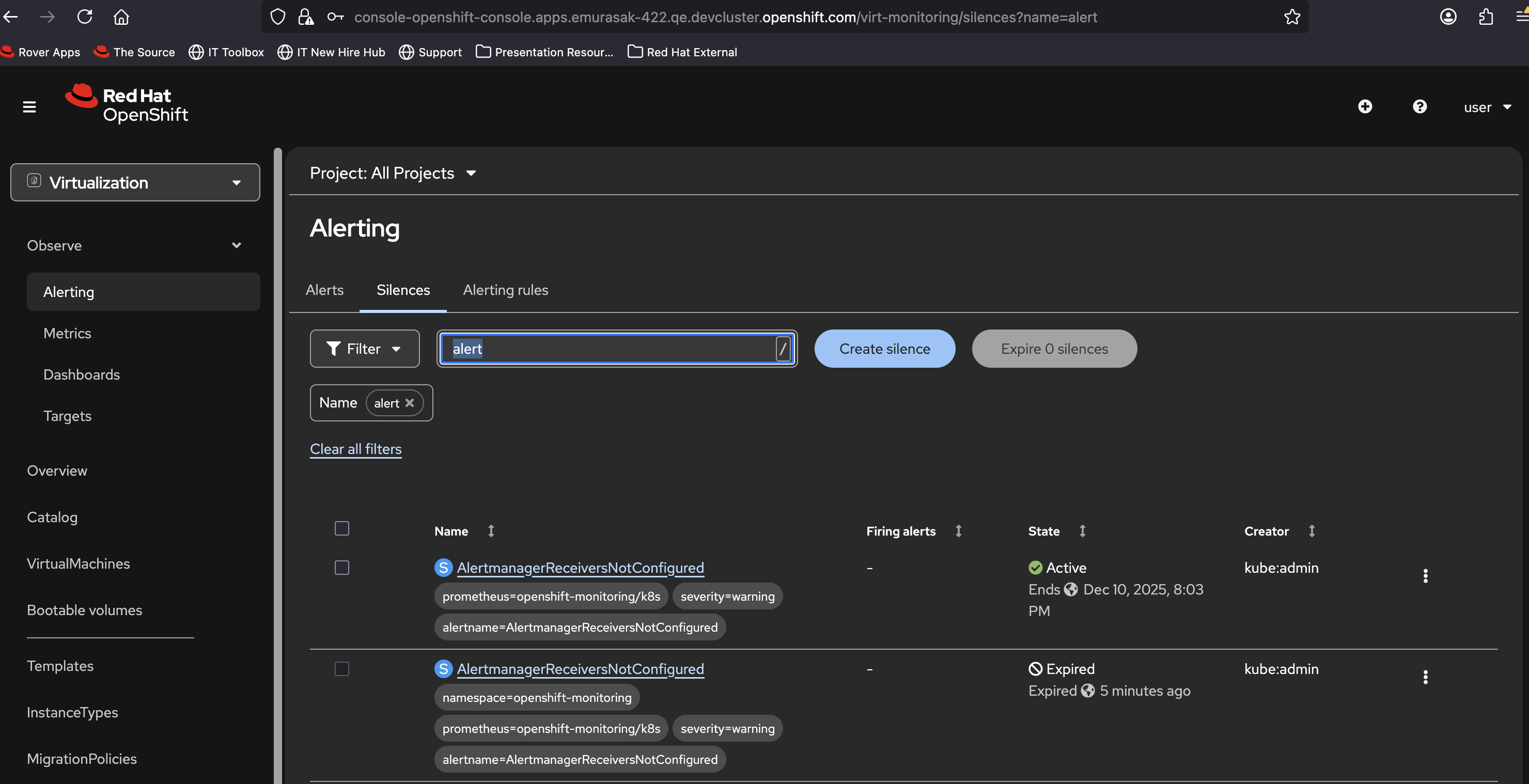
- Select a silence that is Active and check its namespace, i.e for AlertmanagerReceiversNotConfigured the namespace = openshift-monitoring
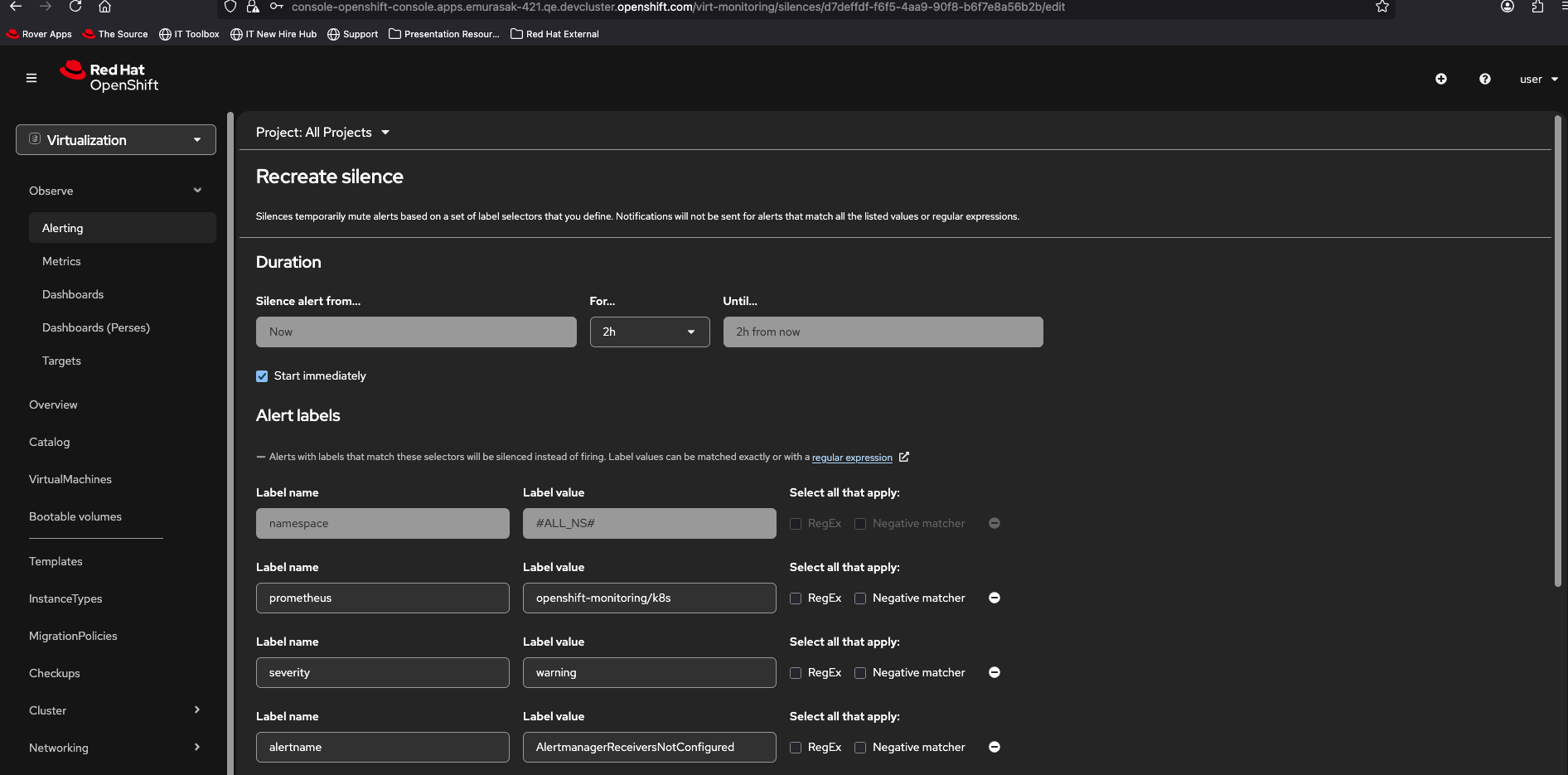
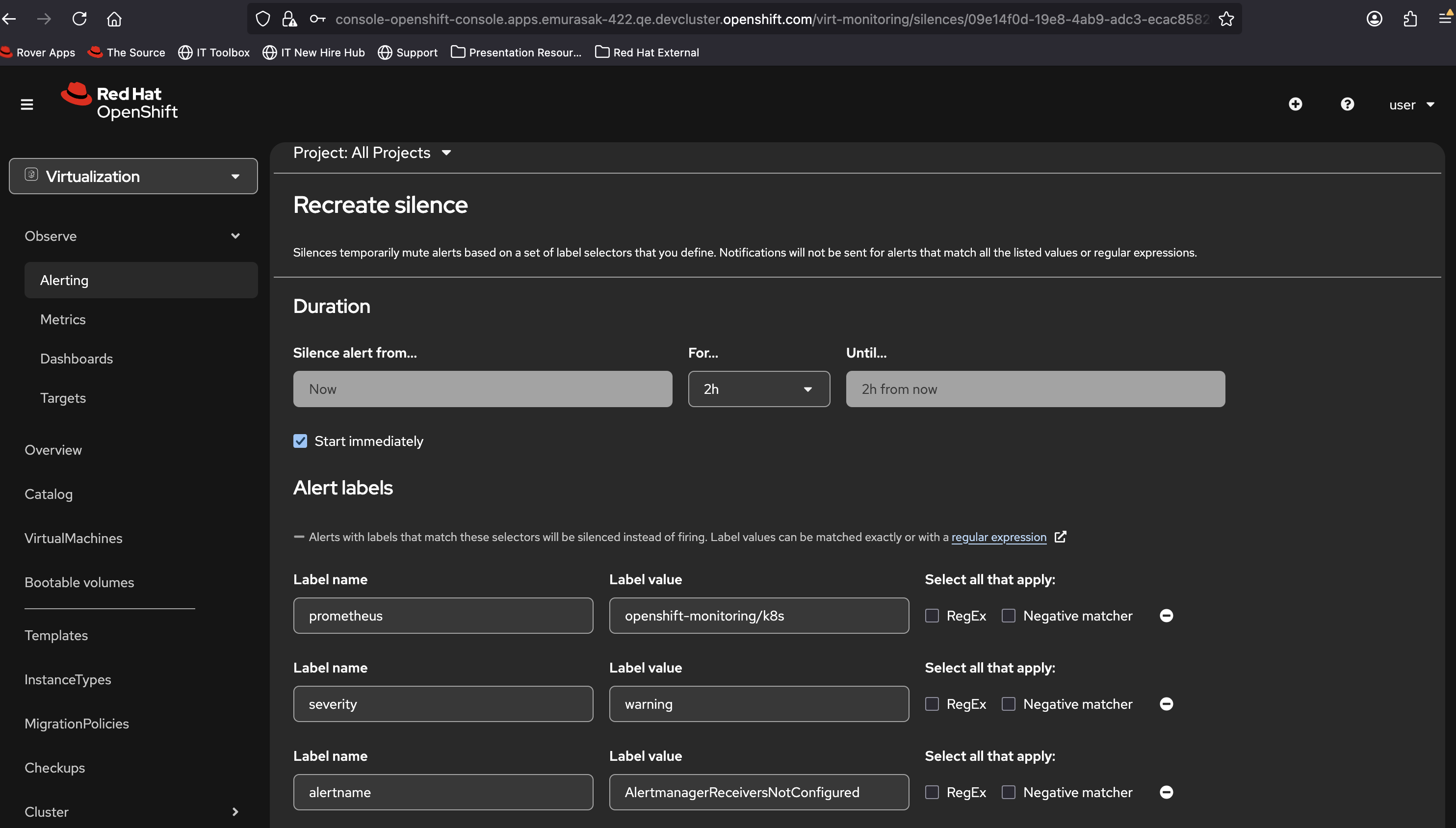
- Edit this silence => Label where Label name = namespace, we have Label value = #ALL_NS# instead of openshift-monitoring
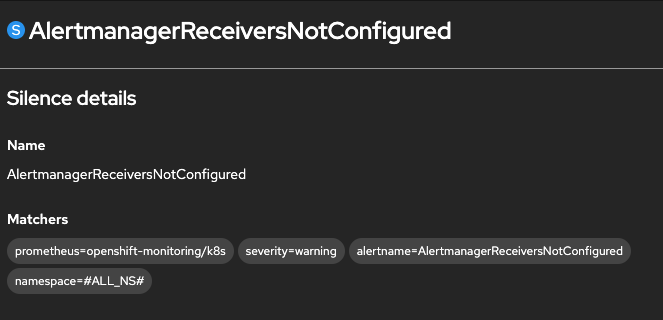
- Recreate silence is the same
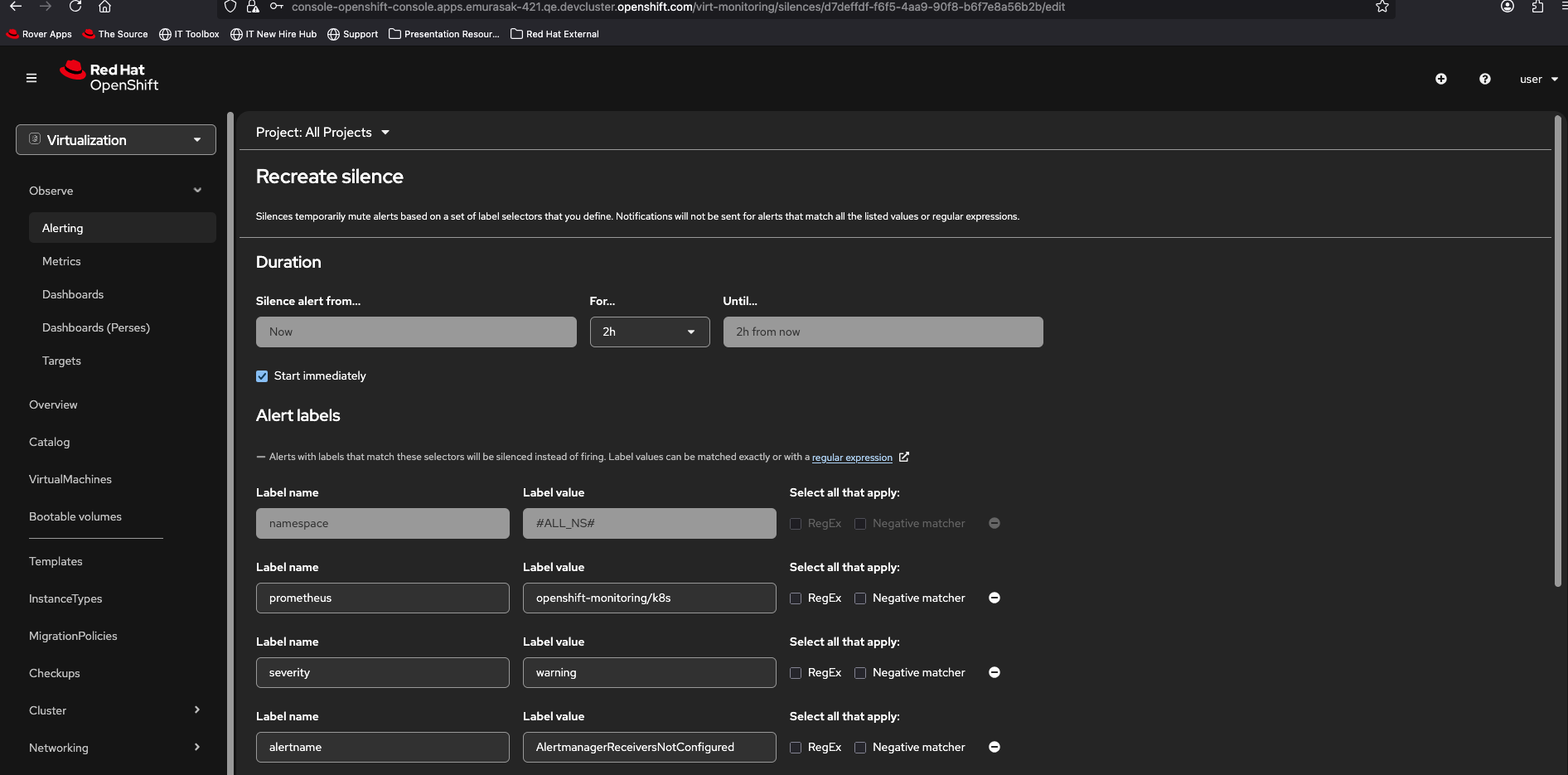
Note:
- So, not sure if it is considered a bug or a misconfiguration that originates these cascated problems.
- User's permissions:
- relates to
-
OU-949 As a dev user I want to be able to see the non-metric monitoring views inside the admin perspective
-

- Closed
-
- links to