-
Story
-
Resolution: Done
-
 Normal
-
None
-
False
-
False
-
None
-
No
-
-
-
-
-
-
Not applicable - this is provided by Intel
-
No
-
No
-
Yes
-
None
-
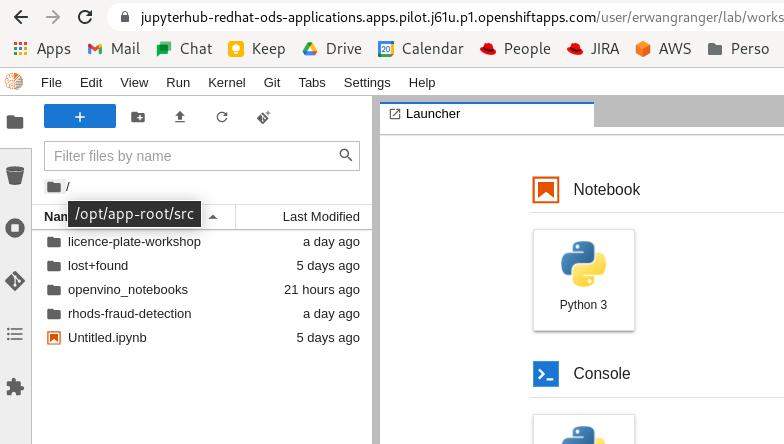
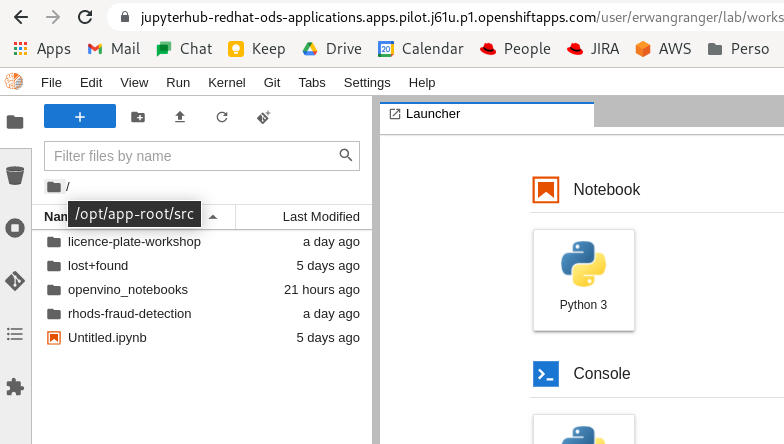
In all the Jupyter Notebook images available in RHODS, the File Browser (left pane) is called "/" and is mapping to the path
/opt/app-root/src
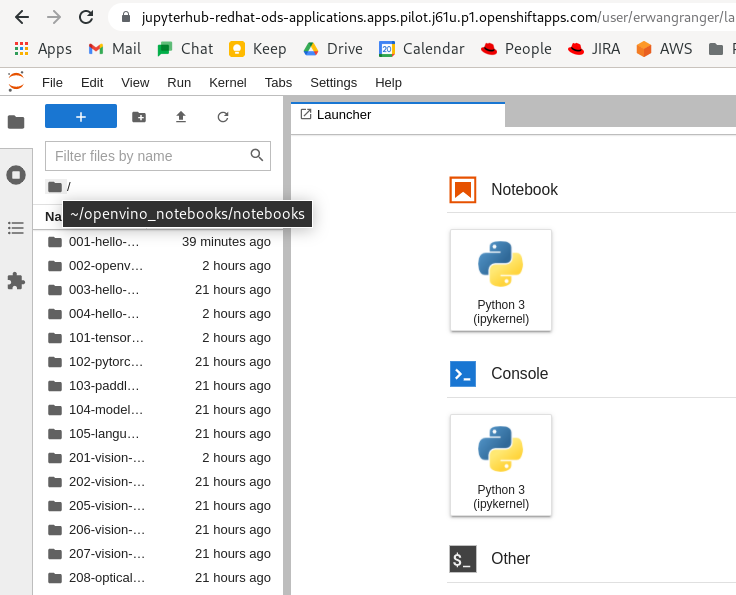
In the OpenVino image, the filebrowser root maps to a different location, which is actually a subfolder of the default path:
/opt/app-root/src/openvino_notebooks/notebooks

this is driven by the variable JUPYTER_SERVER_ROOT:
[1000930000@jupyterhub-nb-erwangranger notebooks]$ env | grep JUPYTER_
JUPYTER_SERVER_ROOT=/opt/app-root/src/openvino_notebooks/notebooks
JUPYTER_ENABLE_LAB=true
JUPYTER_SERVER_URL=http://0.0.0.0:8080/user/erwangranger/
JUPYTER_PRELOAD_REPOS=https://github.com/openvinotoolkit/openvino_notebooks
JUPYTER_IMAGE=image-registry.openshift-image-registry.svc:5000/redhat-ods-applications/openvino-notebook:latest
JUPYTER_ENABLE_WEBDAV=false
JUPYTER_IMAGE_SPEC=image-registry.openshift-image-registry.svc:5000/redhat-ods-applications/openvino-notebook:latest
[1000930000@jupyterhub-nb-erwangranger notebooks]$
In a standard Data Science image, it is:
[1000930000@jupyterhub-nb-erwangranger ~]$ env | grep JUPYTER_
JUPYTER_SERVER_ROOT=/opt/app-root/src
JUPYTER_ENABLE_LAB=true
JUPYTER_SERVER_URL=http://jupyterhub-nb-erwangranger:8080/user/erwangranger/
JUPYTER_IMAGE=image-registry.openshift-image-registry.svc:5000/redhat-ods-applications/s2i-generic-data-science-notebook:v0.0.5
JUPYTER_ENABLE_WEBDAV=false
JUPYTER_IMAGE_SPEC=image-registry.openshift-image-registry.svc:5000/redhat-ods-applications/s2i-generic-data-science-notebook:v0.0.5
[1000930000@jupyterhub-nb-erwangranger ~]$
The folder "openvino_notebooks/notebooks" is apparently created automatically in my home directory, by the OpenVino image.
This setup is great for demos using the default demo notebooks, but is not conducive to real work: if I have a folder called ~/my_openvino_work/, there is no way that I can open those notebooks.
And adding subfolders to ~/openvino_notebooks/notebooks/ is not a great solution either, since that project itself is a git repo.
OpenVino was installed from this Operator: